
OWNER’S MANUAL: 2025 Sportsman Touring 570, Sportsman X2 570, Sportsman 6×6 570
For Maintenance and Safety Read this manual carefully. It contains important safety information.
WARNING

! WARNING

! WARNING
Read, understand, and follow all of the instructions and safety precautions in this manual and on all product labels.
Failure to follow the safety precautions could result in serious injury or death.
Operating, servicing, and maintaining a passenger vehicle or off-road vehicle can expose you to chemicals including engine exhaust, carbon monoxide, phthalates, and lead, which are known to the State of California to cause cancer and birth defects or other reproductive harm. To minimize exposure, avoid breathing exhaust, do not idle the engine except as necessary, service your vehicle in a well-ventilated area and wear gloves or wash your hands frequently when servicing your vehicle.
For more information go to www.P65Warnings.ca.gov/passenger-vehicle.

For videos and more information about a safe riding experience with your Polaris vehicle, scan this QR Code® with your smartphone or visit: www.polaris.com/en-us/safety/

2025 Owner’s Manual Sportsman Touring 570, EPS Sportsman X2 570, Sportsman 6×6 570
Apple® and App Store® are registered trademarks of Apple Inc. BatteryMINDer® is a registered trademark of VDC Electronics, Inc. Bluetooth® is a registered trademark of Bluetooth Sig, Inc. exFAT® is a registered trademark of Microsoft Corporation. Google Play® is a registered trademark of Google LLC. MacPherson Ride® is a registered trademark of Aftermarket Auto Parts Alliance, Inc. NGK® is a registered trademark of NGK Spark Plug Co., Ltd. Phillips® is a registered trademark of the Phillips Screw Company. QR Code® is a registered trademark of DENSO WAVE INCORPORATED. RiderCourse℠ is a service trademark of Specialty Vehicle Institute of America. Sandisk® is a registered trademark of SANDISK LLC. TOP TIER DETERGENT GASOLINE® is a registered trademark of GENERAL MOTORS LLC. Tread LightlySM is a service mark of the United States Department of Agriculture.
Unless noted, trademarks are the property of Polaris Industries Inc.
Copyright 2024 Polaris Industries Inc. All information contained within this publication is based on the latest product information at the time of publication. Due to constant improvements in the design and quality of production components, some minor discrepancies may result between the actual vehicle and the information presented in this publication. Depictions and/or procedures in this publication are intended for reference use only. No liability can be accepted for omissions or inaccuracies. Any reprinting or reuse of the depictions and/or procedures contained within, whether whole or in part, is expressly prohibited.
The original instructions for this vehicle are in English. Other languages are provided as translations of the original instructions.
Printed in U.S.A.
9941908 R01
Thank you for purchasing a POLARIS vehicle, and welcome to our world-wide family of POLARIS enthusiasts. Be sure to visit us online at www.polaris.com for the latest news, new product introductions, upcoming events, career opportunities and more.
Here at POLARIS we proudly produce an exciting line of utility and recreational products. We believe POLARIS sets a standard of excellence for all utility and recreational vehicles manufactured in the world today. Many years of experience have gone into the engineering, design, and development of your POLARIS vehicle.
For safe and enjoyable operation of your vehicle, be sure to follow the instructions and recommendations in this owner’s manual. Your manual contains instructions for minor maintenance, but information about major repairs is outlined in the POLARIS Service Manual and can be performed by a POLARIS dealer.
Your POLARIS dealer knows your vehicle best and is interested in your total satisfaction. Your POLARIS dealership can perform all of your service needs during and after the warranty period.
For the most up-to-date owner’s manual visit
The following signal words and symbols appear throughout this manual and on your vehicle. Your safety is involved when these words and symbols are used. Become familiar with their meanings before reading the manual.

DANGER indicates a hazardous situation which, if not avoided, WILL result in death or serious injury.
DANGER

WARNING indicates a hazardous situation which, if not avoided, COULD result in death or serious injury.
WARNING

CAUTION indicates a hazardous situation which, if not avoided, COULD result in minor to moderate injury.
CAUTION
NOTICE provides key information by clarifying instructions.
NOTICE
IMPORTANT provides key reminders during disassembly, assembly, and inspection of components.
IMPORTANT
 The Prohibition Safety Sign indicates an action NOT to take in order to avoid a hazard.
 The Mandatory Action Sign indicates an action that NEEDS to be taken to avoid a hazard.
INTRODUCTION
IMPORTANT WARNING ABOUT THIS MANUAL
WARNING

Failure to heed the warnings and safety precautions contained in this manual can result in severe injury or death. A POLARIS ATV is not a toy and can be hazardous to operate. This vehicle handles differently than other vehicles, such as motorcycles and cars. A collision or rollover can occur quickly, even during routine maneuvers like turning, or driving on hills or over obstacles, if you fail to take proper precautions.
- Read this owner’s manual. Understand all safety warnings, precautions and operating procedures before operating a POLARIS ATV. Keep this manual with the ATV.
- Never operate an ATV without proper instruction. Take a certified ATV safety training course. In the United States, certified training can be found at www. atvsafety.org.
- This vehicle is an ADULT VEHICLE ONLY. Operation is prohibited for anyone under 16 years of age.
- Never permit a guest to operate the ATV unless the guest has read this manual and all product labels and has completed a certified safety training course. In the United States, certified training can be found at www. atvsafety.org.
VEHICLE IDENTIFICATION NUMBERS
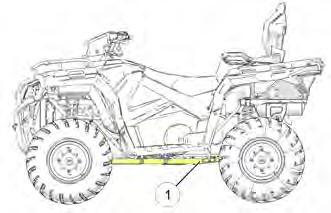
The vehicle identification number (VIN) q is stamped on the lower frame rail on the rear left side of the vehicle on all models.
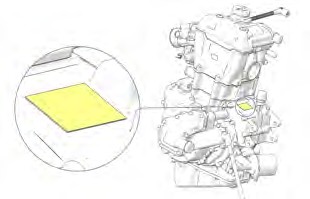
The engine serial number is located on the front portion of the engine on the crankcase cover.
Record your vehicle’s identification numbers in the spaces provided. Remove the spare key and store it in a safe place. An ignition key can be duplicated only by ordering a POLARIS key blank and mating it with one of your existing keys. The ignition switch must be replaced if all keys are lost.
Images are for reference only. Your model might differ slightly.
NOTICE
| Vehicle Model Number | |
| Frame VIN q | |
| Engine Serial Number |
REPLACEMENT KEYS
A replacement key can be made from the original key 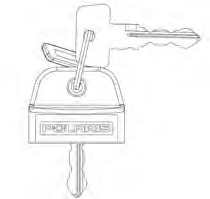
Key Blank:
P/N 4080125
Rubber Key Cover:
P/N 5458344
SAFETY
SAFETY TRAINING
ATV safety training is a top priority for POLARIS. POLARIS strongly encourages you and any family members who will be riding the ATV to take a training course.
A POLARIS ATV is an off-road vehicle. Familiarize yourself with all laws and regulations concerning the operation of this vehicle in your area. We strongly advise you to strictly follow the recommended maintenance program outlined in your vehicle manual. This preventive maintenance program is designed to ensure that all critical components on your vehicle are thoroughly inspected at specific intervals.
SAFE RIDING GEAR
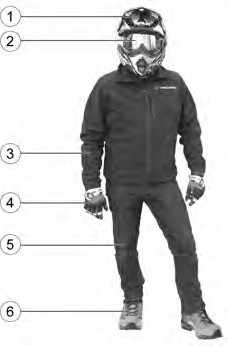 Always wear helmet, eye protection, gloves, long-sleeve shirt, long pants, and over-the-ankle boots at all times. Protective gear reduces the chance of injury.
q Helmet
w Eye Protection e Long Sleeves r Gloves
t Long Pants
y Over-the-Ankle Boots
HELMET
Wearing a helmet can prevent a severe head injury. Whenever riding this POLARIS vehicle, always wear a helmet that meets or exceeds established safety standards. Clasp the buckle and pull each strap tight to ensure the helmet is properly secured to the head.
 Approved helmets in the USA and Canada bear a
U.S. Department of Transportation (DOT) label.
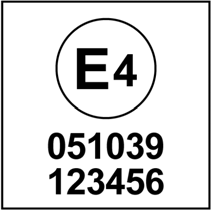 Approved helmets in Europe, Asia and Oceania bear the ECE 22.05 label. The ECE mark consists of a circle surrounding the letter E, followed by the distinguishing number of the country which has granted approval. The approval number and serial number will also be displayed on the label.
EYE PROTECTION
Do not depend on eyeglasses or sunglasses for eye protection. Whenever riding this POLARIS vehicle, always wear shatterproof goggles or use a shatterproof helmet face shield. POLARIS recommends wearing approved Personal Protective Equipment (PPE) bearing markings such as VESC 8, V-8, Z87.1, or CE. Make sure protective eye wear is kept clean.
GLOVES
Wear gloves for comfort and for protection from sun, cold weather and other elements.
BOOTS
Wear sturdy over-the-ankle boots for support and protection. Never ride a POLARIS vehicle with bare feet or sandals.
CLOTHING
Wear long sleeves and long pants to protect arms and legs.
SAFETY WARNINGS

Failure to operate this vehicle properly can result in a collision, loss of control, accident or rollover, which may result in serious injury or death. Heed all safety warnings outlined in this section of the owner’s manual. See the operation section of this owner’s manual for proper operating procedures.
WARNING
OPERATING WITHOUT INSTRUCTION
 Operating this ATV without proper instruction increases the risk of an accident. The operator must understand how to operate the ATV properly in different situations and on different types of terrain.
Beginning and inexperienced operators should complete the recommended safety training before operating this vehicle.
Never permit a guest to operate the ATV unless the guest has read this manual and all product labels and has completed a certified safety training course.
AGE RESTRICTIONS
 This vehicle is an ADULT VEHICLE ONLY. Operation is prohibited for anyone under 16 years of age.
Never allow anyone under 12 years of age to ride as a passenger on a 2-up ATV.
Even though a child may be within the recommended age group for operating some ATVs, they may not have the skills, abilities, or judgment needed to operate or ride on this ATV safely and could be susceptible to accident or injury.
USING ALCOHOL OR DRUGS
 Never consume alcohol or drugs before or while operating this vehicle.
Operating this vehicle after consuming alcohol or drugs could adversely affect operator judgment, reaction time, balance and perception.
CARRYING MORE THAN ONE PASSENGER ON A 2-UP ATV
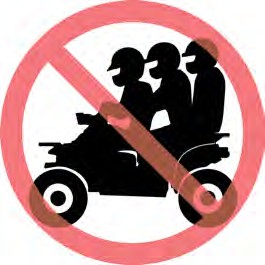 Carrying more than one passenger on a 2-up ATV greatly reduces the operator’s ability to balance and control the ATV, which may result in an accident or rollover. Never carry more than one passenger on a 2-up ATV.
FAILURE TO INSPECT BEFORE OPERATING

Failure to inspect and verify that the vehicle is in safe operating condition before operating increases the risk of an accident.
Always perform the pre-ride inspection before each use of your vehicle to make sure it’s in safe operating condition.
Always follow the inspection and maintenance procedures and schedules described in this owner’s manual.
WARNING
HANDLING GASOLINE
Gasoline is highly flammable and explosive under certain conditions.
- Always exercise extreme caution whenever handling gasoline.
- Always refuel with the engine stopped, and outdoors or in a well ventilated area.
- Never carry fuel or other flammable liquids on this vehicle. Failure to follow this instruction could lead to serious burn injuries or death.
- Do not smoke or allow open flames or sparks in or near the area where refueling is performed or where gasoline is stored.
- Do not overfill the tank. Do not fill the tank neck.
- If gasoline spills on your skin or clothing, immediately wash it off with soap and water and change clothing.
EXPOSURE TO EXHAUST

Engine exhaust fumes are poisonous and can cause loss of consciousness or death in a short time. Never start the engine or let it run in an enclosed area.
Operate this vehicle only outdoors or in well-ventilated areas.
CAUTION
PROTECTIVE APPAREL
 Riding in this vehicle without wearing an approved helmet and protective eye wear increases the risk of a serious injuries in the event of an accident.
Always wear a helmet, eye protection, gloves, long-sleeve shirt, long pants and over-the-ankle boots.
OPERATING ON PAVEMENT
This vehicle’s tires are designed for off-road use only, not for use on pavement. Operating this vehicle on paved surfaces (including sidewalks, paths, parking lots and driveways) may adversely affect the handling of the vehicle and may increase the risk of loss of control and accident or rollover. Avoid operating the vehicle on pavement. If it’s unavoidable, travel slowly, travel short distances and avoid sudden turns or stops.
OPERATING ON PUBLIC ROADS
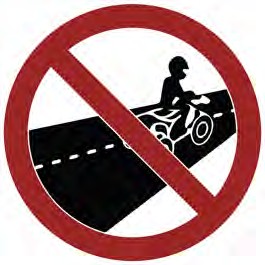 Operating this vehicle on public streets, roads or highways could result in a collision with another vehicle. Never operate this vehicle on any public street, road or highway, including dirt and gravel roads (unless designated for off-highway use).
OPERATING AT EXCESSIVE SPEEDS
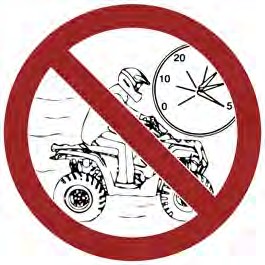 Operating this vehicle at excessive speeds increases the operator’s risk of losing control. Always operate at a speed that’s appropriate for the terrain, the visibility and operating conditions and your skills and experience.
PHYSICAL CONTROL OF THE VEHICLE
Removing even one hand or foot can reduce ability to control the vehicle or could cause loss of balance and ejection from the ATV.
If a person’s feet are not firmly planted on the footrests, they could come into contact with the wheels or other moving parts and lead to accident or injury.
Always keep both hands on the handlebars and both feet on the footrests of the ATV during operation.
TURNING IMPROPERLY

Turning improperly could cause loss of traction, loss of control, accident or rollover. Always follow proper procedures for turning as described in this owner’s manual.
CAUTION
Avoid sharp turns. Never turn while applying heavy throttle. Never make abrupt steering maneuvers. Practice turning at slow speeds before attempting to turn at faster speeds.
JUMPS AND STUNTS
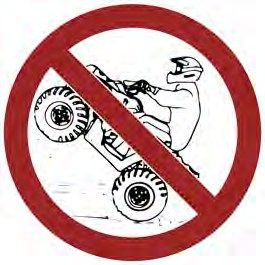 Exhibition driving increases the risk of an accident or rollover. DO NOT do power slides, “donuts”, jumps or other driving stunts. Avoid exhibition driving.
IMPROPER HILL CLIMBING
Improper hill climbing could cause loss of control or rollover. Use extreme caution when operating on hills. Always follow proper procedures for hill climbing as described in this owner’s manual. See the New Operator Driving Procedures section for details.
DESCENDING HILLS IMPROPERLY
Improperly descending a hill could cause loss of control or rollover. Always follow proper procedures for traveling down hills as described in this owner’s manual. See the New Operator Driving Procedures section for details.
CROSSING HILLSIDES
Driving on a sidehill is not recommended. Improper procedure could cause loss of control or rollover. Avoid crossing the side of any hill unless absolutely necessary.
If crossing a hillside is unavoidable, always follow proper procedures as described in this owner’s manual. See the New Operator Driving Procedures section for details.
STALLING WHILE CLIMBING A HILL
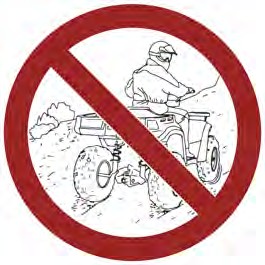 Stalling, rolling backwards or improperly dismounting while climbing a hill could cause a rollover.
- Always maintain a steady speed when climbing a hill.
- Always engage ADC mode (if equipped) before ascending or descending a hill. If ADC mode is not equipped, apply AWD mode before ascending or descending a hill.
If all forward speed is lost:
- Lean forward to keep body weight uphill. A passenger should also lean uphill.
- Apply the brakes.
- Lock the temporary brake lock when fully stopped.
- Dismount on the uphill side of the vehicle, or on the left if the vehicle is pointing straight uphill. Have a passenger dismount first, then the operator may dismount.
- Turn the ATV around and remount, following the procedure described in the owner’s manual.
If the ATV begins rolling downhill:
- Keep operator and passenger body weight uphill.
- Never apply engine power.
- Apply the brake lever gradually.
- When fully stopped, apply the auxiliary brake as well, and then lock the temporary brake lock.
- Dismount on the uphill side of the vehicle, or on the left if the vehicle is pointing straight uphill. Have a passenger dismount first, then the operator may dismount.
- Turn the ATV around and remount, following the procedure described in the owner’s manual.
OPERATING ON STEEP HILLS
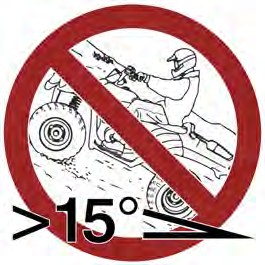 Operating on excessively steep hills could cause an overturn.
Never operate on hills too steep for the ATV or for your abilities.
Never operate this ATV on hills steeper than 15 degrees.
OPERATING ON SLIPPERY TERRAIN
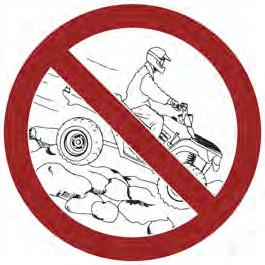 Failure to use extra caution when operating on excessively rough, slippery or loose terrain could cause loss of traction, loss of control, accident or overturn.
Do not operate on excessively rough, slippery or loose terrain until you’ve learned and practiced the skills necessary to control the vehicle on such terrain.
Always use extra caution on rough, slippery or loose terrain.
OPERATING IN UNFAMILIAR TERRAIN
Failure to use extra caution when operating on unfamiliar terrain could result in an accident or rollover.
Unfamiliar terrain may contain hidden rocks, bumps, or holes that could cause loss of control or rollover.
Travel slowly and use extra caution when operating on unfamiliar terrain. Always be alert to changing terrain conditions.
IMPROPER TIRE MAINTENANCE
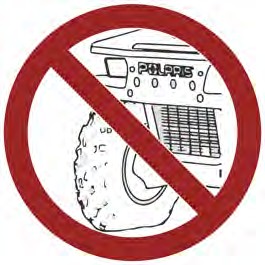 Operating this vehicle with improper tires or with improper or uneven tire pressure could cause loss of control or accident.
Always use the size and type of tires specified for your vehicle.
Always maintain proper tire pressure as described in the owner’s manual and on safety labels.
OPERATING IMPROPERLY IN REVERSE
Improperly operating in reverse could result in a collision with an obstacle or person. Always follow proper operating procedures as outlined in this manual. See the New Operator Driving Procedures section for details.
Before shifting into reverse gear, always check for obstacles or people behind the vehicle. When it’s safe to proceed, back slowly.
OPERATING OVER OBSTACLES
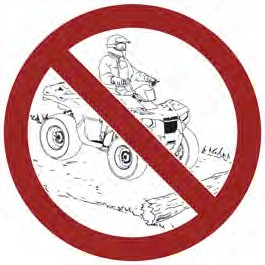 Improperly operating over obstacles could cause loss of control or rollover.
Before operating in a new area, check for obstacles. Avoid operating over large obstacles such as large rocks and fallen trees. Always follow the proper procedures outlined in this manual when operating over obstacles. See the New Operator Driving Procedures section for details.
SKIDDING OR SLIDING
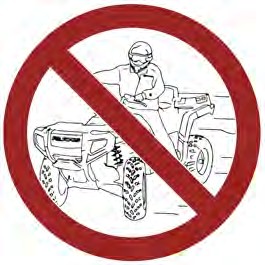 Failure to use extra caution when operating on excessively rough, slippery or loose terrain could cause loss of traction, loss of control, accident or rollover. Do not operate on excessively slippery surfaces. Always slow down and use additional caution when operating on slippery surfaces.
Skidding or sliding due to loss of traction can cause loss of control or rollover (if tires regain traction unexpectedly). Always follow proper procedures for operating on slippery surfaces as described in this owner’s manual. See the New Operator Driving Procedures section for details.
OPERATING A DAMAGED VEHICLE

Operating a damaged vehicle can result in an accident. After any rollover or other accident, have a qualified service dealer inspect the entire machine for possible damage, including (but not limited to) brakes, throttle, and steering systems.
CAUTION
OPERATING THROUGH WATER
Operating through deep or fast-flowing water can cause loss of traction, loss of control, rollover or accident. Never operate in fast-flowing water or in water that exceeds the floor level of the vehicle.
Always follow proper procedures for operating in water as described in this owner’s manual.
Wet brakes may have reduced stopping ability. After leaving water, test the brakes. Apply them lightly several times while driving slowly. The friction will help dry out the pads.
IMPROPER CARGO LOADING
Overloading the vehicle or carrying cargo improperly may cause changes in stability and handling, which could cause loss of control or an accident.
- Always follow the instructions in this owner’s manual for carrying cargo.
- Never exceed the stated load capacity for this vehicle.
- Cargo should be properly distributed and securely attached.
- Reduce speed when carrying cargo or pulling a trailer. Allow a greater distance for braking.
OPERATING ON FROZEN BODIES OF WATER
Severe injury or death can result if the vehicle and/or the operator fall through the ice. Never operate the vehicle on a frozen body of water unless you have first verified that the ice is sufficiently thick to support the weight and moving force of the vehicle, you and your cargo, together with any other vehicles in your party.
Always check with local authorities and residents to confirm ice conditions and thickness over your entire route. Vehicle operators assume all risk associated with ice conditions on frozen bodies of water.
POOR VISIBILITY

Operating this vehicle in darkness or inclement weather could result in a collision or accident, especially if operating on a road or street. This vehicle is not equipped with highway-approved lights. Operate this vehicle off-road only. Use caution and drive at reduced speeds in conditions of reduced visibility such as fog, rain and darkness. Clean headlights frequently and replace burned out headlamps promptly.
CAUTION
PHYSICAL SKILLS
Safe operation of this rider-active vehicle requires good judgment and physical skills. Persons with cognitive or physical disabilities who operate this vehicle have an increased risk of overturn and loss of control.
HOT EXHAUST SYSTEMS

Exhaust system components are very hot during and after use of the vehicle. Hot components can cause burns and fire. Do not touch hot exhaust system components. Always keep combustible materials away from the exhaust system.
Use caution when traveling through tall grass, especially dry grass and when traveling through muddy conditions. Always inspect the underside of the vehicle and areas near the exhaust system after driving through tall grass, weeds, brush, other tall ground cover, and muddy conditions. Promptly remove any grass, debris or foreign matter clinging to the vehicle and pay particular attention to the exhaust system area.
WARNING
TRAILER HITCH WARNING (IF EQUIPPED)
If using a hitch, ensure the receiver does not exceed a two inch drop or raise.

When trailering with your ATV, be aware that the exhaust is located above the hitch ball receiver and the trailer hitch. During operation of the ATV, the exhaust will produce hot exhaust gas that should not be inhaled and that may elevate the surface temperature of surrounding surfaces, including trailer surfaces (e.g., trailer hitch, trailer tongue, trailer walls, . . . etc.). To reduce the risk of inhaling exhaust gases and to avoid risk of burn or injury, shut off your engine and allow time for the exhaust gases to dissipate and for the surfaces surrounding the exhaust to cool, including the trailer surfaces, before connecting or disconnecting a trailer. To reduce the potential for the trailer hitch or trailer tongue from getting too hot, do not use a receiver hitch with a rise of more than two inches.
WARNING
UNAUTHORIZED USE OF THE VEHICLE
Leaving the keys in the ignition can lead to unauthorized use of the vehicle by someone under the age of 16, without a drivers license, or without proper training. This could result in an accident or rollover. Always remove the ignition key when the vehicle is not in use.
EQUIPMENT MODIFICATIONS
Your POLARIS vehicle is designed to provide safe operation when used as directed. Modifications to your vehicle may negatively impact vehicle stability. Failure of critical machine components may result from operation with any modifications, especially those that increase speed or power. This vehicle may become less stable at speeds higher than those for which it is designed. Loss of control may occur at higher speeds.
Do not install any non-POLARIS-approved accessory or modify the vehicle for the purpose of increasing speed or power. Any modifications or installation of non-POLARIS-approved accessories could create a substantial safety hazard and increase the risk of bodily injury.
The POLARIS limited warranty on your POLARIS vehicle will be terminated if any non-POLARIS approved equipment and/or modifications have been added to the vehicle that increase speed or power.
The addition of certain accessories, including (but not limited to) mowers, blades, tires, sprayers, or large racks, may change the handling characteristics of the vehicle. Use only POLARIS-approved accessories, and familiarize yourself with their function and effect on the vehicle.
For more information about ATV safety, see the Safety Training section.
SAFETY LABELS AND LOCATIONS
Warning labels have been placed on the vehicle for your protection. Read and follow the instructions on each label carefully. If any of the labels shown in this manual differ from the labels on your vehicle, always read and follow the instructions of the labels on the vehicle.
If an informational or graphic label becomes illegible or comes off, contact your POLARIS dealer to purchase a replacement. Replacement safety labels are provided by POLARIS at no charge. The part number is printed on the label.
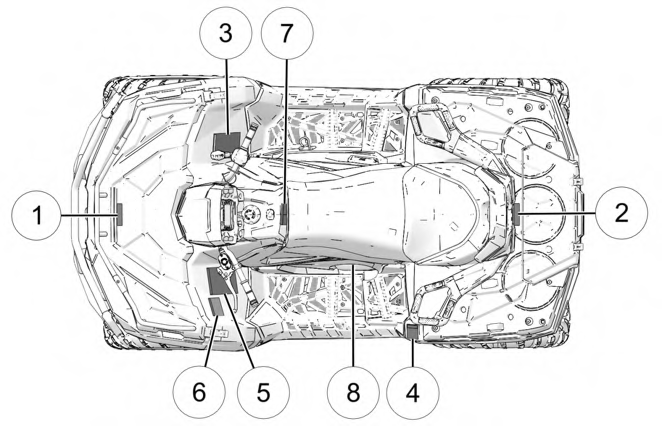 SPORTSMAN TOURING 570
q Front Rack / Container Warning
w Rear Rack Warning
e Passenger Safety Warning
r Tire Pressure / Load Warning
t General Warning
y Age 16 Warning
u Reverse Override / AWD Warning
i Clutch Cover Warning
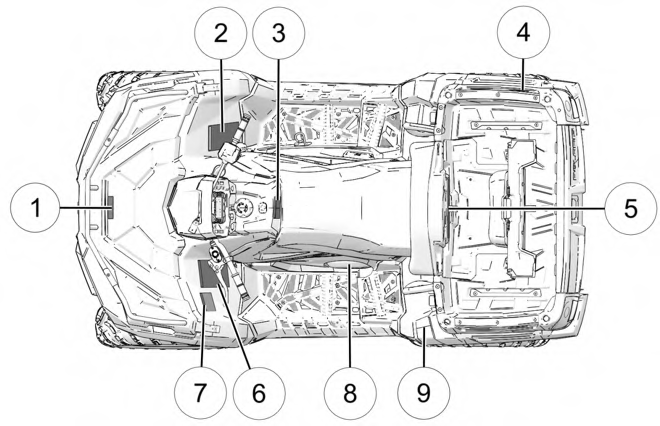 SPORTSMAN X2 570
q Front Rack / Container Warning
w Passenger Safety Warning
e Reverse Override / AWD Warning
r Fuel Transport Warning
t Passenger Warning
y General Warning
u Age 16 Warning
i Clutch Cover Warning
o Tire Pressure / Load Warning
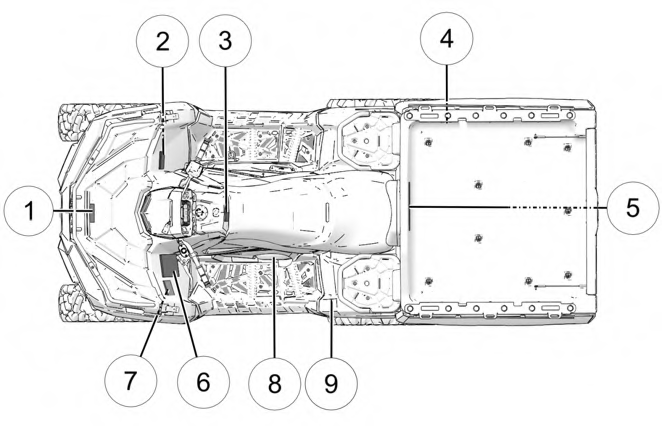 SPORTSMAN 6X6 570
q Front Rack / Container Warning
w Discretionary Warning
e Reverse Override / AWD Warning
r Fuel Transport Warning
t Passenger Warning
y General Warning
u Age 16 Warning
i Clutch Cover Warning
- Tire Pressure / Load Warning
FRONT RACK / CONTAINER WARNING
 WARNING
-
- DO NOT TOW FROM RACK OR BUMPER.
Vehicle damage or tipover may result causing severe injury or death. Tow only from tow hooks or hitch.
-
- Maximum Combined Front Rack and Container Load: 90 lbs (41 kg) Part Number: 7174201
REAR RACK WARNING (TOURING MODELS)
 WARNING
-
- DO NOT TOW FROM RACK OR BUMPER.
Vehicle damage or tipover may result causing severe injury or death. Tow only from tow hooks or hitch.
-
- Maximum Rack Loads:
- Front: 90 lbs (41 kg)
- Rear: 180 lbs (82 kg)
- Maximum Rack Loads:
Part Number: 7172572
 WARNING
PASSENGER SAFETY
To reduce the risk of SEVERE INJURY or DEATH NEVER CARRY MORE THAN ONE PASSENGER NEVER RIDE AFTER USING DRUGS OR ALCOHOL
NEVER carry a passenger too small to firmly plant feet on footrests and securely grasp hand holds.
THE PASSENGER MUST ALWAYS:
-
- use an approved helmet and protective gear
- securely grasp hand holds and plant feet firmly on footrests while seated in the passenger seat
- tell operator to slow down or stop if uncomfortable – get off and walk if conditions require
 WARNING
- Never operate this ATV on HILLS steeper than 15 degrees. To prevent overturn on hilly terrain, use throttle and brakes gradually, and shift weight uphill.
- REVERSE operation can be dangerous even at low speeds. Steering becomes difficult. To prevent loss of control, avoid sudden braking or sharp turns.
Part Number: 7186130
TIRE PRESSURE / LOAD WARNING (TOURING MODELS)
 WARNING
Improper tire pressure or overloading can cause loss of control. Loss of control can result in severe injury or death.
- Cold tire pressure:
- Front: 7.0 psi (48.2 kPa)
- Rear: 7.0 psi (48.2 kPa)
- Maximum weight capacity: 485 lbs (220 kg)
NEVER exceed 50 mph (80 kph) when rear cargo loads are above 75 lbs (34 kg) and/or front cargo loads are above 37 lbs (17 kg).
NEVER exceed 50 mph (80 kph) while carrying a passenger. Part Number: 7186143
TIRE PRESSURE / LOAD WARNING (X2 MODELS)
 WARNING
Improper tire pressure or overloading can cause loss of control. Loss of control can result in severe injury or death.
- Cold tire pressure:
- Front: 7.0 psi (48.3 kPa)
- Rear: 7.0 psi (48.3 kPa)
- Maximum weight capacity: 705 lbs. (320 kg)
NEVER exceed 50 mph (80 kph) when rear cargo loads are above 75 lbs (34 kg) and/or front cargo loads are above 37 lbs (17 kg).
NEVER exceed 50 mph (80 kph) while carrying a passenger.
NEVER exceed 10 mph (16 kph) when rear cargo loads are above 200 lbs (91 kg) and/or front cargo loads are 90 lbs (41 kg).
Part Number: 7301141
TIRE PRESSURE / LOAD WARNING (6X6 MODELS)
 WARNING
Improper tire pressure or overloading can cause loss of control. Loss of control can result in severe injury or death.
- Cold tire pressure:
- Front: 7.0 psi (48.3 kPa)
- Rear: 10.0 psi (68.9 kPa)
- Maximum weight capacity: 1115 lbs. (505.8 kg)
NEVER exceed 50 mph (80 kph) when rear cargo loads are above 75 lbs (34 kg) and/or front cargo loads are above 37 lbs (17 kg).
NEVER exceed 50 mph (80 kph) while carrying a passenger.
NEVER exceed 10 mph (16 kph) when rear cargo loads are above 200 lbs (91 kg) and/or front cargo loads are 90 lbs (41 kg).
Part Number: 7301142
 WARNING
Operating this ATV if you are under the age of 16 increases the chances of severe injury or death to both operator and passenger.
NEVER operate this vehicle if you are under age 16. Part Number: 7186124
 WARNING
Improper use can result in SEVERE INJURY or DEATH
ALWAYS USE AN APPROVED HELMET AND PROTECTIVE GEAR FOR DRIVER AND PASSENGER
NEVER USE ON PUBLIC ROADS
NEVER CARRY MORE THAN 1 PASSENGER NEVER USE WITH DRUGS OR ALCOHOL
NEVER operate:
- without proper ATV training or instruction
- at speeds too fast for your skills or the conditions
- on public roads – a collision can occur with another vehicle
- with a passenger unless passenger seat is securely in place
THE OPERATOR MUST ALWAYS:
- use proper riding techniques to avoid overturns on hills and rough terrain and in turns
- avoid paved surfaces – pavement may seriously affect handling and control
- reduce speed and use extra caution at all times when carrying a passenger – dismount passenger when conditions require
- make sure passenger reads and understands this label and passenger safety label
Part Number: 7186137
REVERSE OVERRIDE / AWD WARNING
 WARNING
Improper use of override button can lead to loss of control resulting in severe injury or death. Do not activate override while throttle is engaged. Always apply throttle gradually, while in reverse.
 CAUTION
Do not push switch to engage 4X4 (AWD) if the rear wheels are spinning. This may cause severe drive shaft and clutch damage.
Part Number: 7195826
 WARNING
-
- Moving parts hazard under belt-clutch guard. To prevent serious injury, do not operate vehicle with guard removed.
- Do not modify engine or clutch. Doing so can cause part failure, possible imbalance, and excessive engine RPM, which can result in serious injury or death.
NO STEP
Part Number: 7180088
 WARNING
-
- Passengers can be thrown off. This can cause serious injury or death.
- Never carry passengers in cargo box.
 WARNING
Maximum Box Load: 400 lbs (181 kg) Part Number: 7301054
PASSENGER WARNING (6X6 MODELS)
 WARNING
- Passengers can be thrown off. This can cause serious injury or death.
- Never carry passengers in the cargo box.
 WARNING
Maximum Box Load: 800 lbs (363 kg) Part Number: 7301055

 WARNING
NEVER carry fuel or other flammable liquids on this vehicle.
Failure to follow this instruction could lead to serious burn injuries or death.
Part Number: 7186122
HITCH DECAL (TOURING AND X2 MODELS)
Trailer Maximum Weight: 1350 lbs (612 kg) on level ground Hitch Maximum Vertical Weight: 180 lbs (82 kg)
Part Number: 7300800
Trailer Maximum Weight: 1500 lbs (680 kg) on level ground Hitch Maximum Vertical Weight: 180 lbs (82 kg)
Part Number: 7300801


FEATURES AND CONTROLS
OVERVIEW
Image is for reference only. Your model might differ slightly.
NOTICE
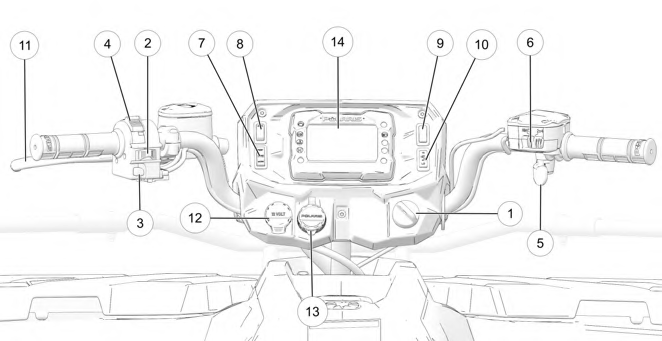
q Ignition Switch
w Engine Stop Switch
e Mode / Reverse Override Switch
r Headlight Switch
t Throttle Lever
y Driveline Switch / AWD Momentary Switch
u Drive Mode Switch (if equipped)
i Auxiliary Switch (if equipped)
o Hand Warmer Switch (if equipped) a Thumb Warmer Switch (if equipped) s Brake Lever
d Auxiliary Outlet
f Battery Charge Port
g Digital Display
IGNITION SWITCH
Use the ignition switch q to start the engine. The key can be removed from the switch when it is in the OFF position.
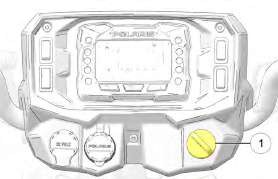
Image is for reference only. Your model might differ slightly.
NOTICE
|
SWITCH POSITION |
FUNCTION |
|
OFF |
Turn the key to the OFF position to stop the engine. Electrical circuits are off. |
|
RUN |
Turn the key the RUN position to activate electrical components. Electrical circuits are on. Electrical equipment can be used. |
|
START |
Turn the key to the START position to engage the electric starter. See the Starting the Engine section for starting procedures. |
LEFT-HAND CONTROLS
ENGINE STOP SWITCH
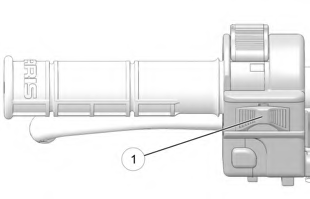

Move the engine stop switch q to the OFF position to stop the engine quickly.
Move the engine stop switch to the RUN position before attempting to start the engine. The engine will not start or run when the switch is off. Both the main switch and the engine stop switch will shut off all electrical power to the vehicle, including the lights.
MODE / REVERSE OVERRIDE SWITCH
Pressing the override button while the throttle is open can cause loss of control, which may result in serious injury or death. Always release the throttle before pressing the override button.
WARNING
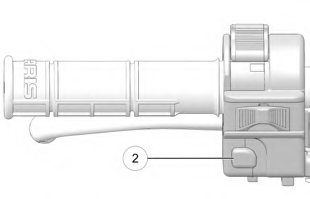 This vehicle is equipped with a reverse speed limiter system. To gain additional wheel speed while backing, release the throttle and press the override button w. The reverse override button also acts as a MODE button for the digital display when held down for approximately one half second. The override button will not function as a MODE button if the transmission is in reverse.
HEADLIGHT SWITCH
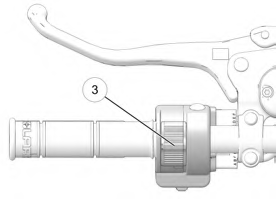 Use the headlight switch e to turn the lights on and off and to change the lights from high beam to low beam. The key must be in the ON position and the engine stop switch must be in the RUN position.
RIGHT-HAND CONTROLS
THROTTLE LEVER

Operating an ATV with sticking or improperly operating throttle controls could cause an accident. Never start or operate an ATV that has a sticking or improperly operating throttle. Immediately contact your POLARIS dealer or other qualified person for service if throttle problems arise.
Failure to check or maintain proper operation of the throttle system can result in an accident if the throttle lever sticks during operation. Always check the lever for free movement and return before starting the engine. Also check occasionally during operation.
Modifications to the electronic throttle control could result in failure to perform as designed, which could result in an accident. Do not attempt to modify the throttle control system or replace it with any after market throttle mechanisms.
WARNING
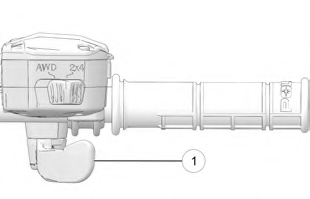 Engine speed and vehicle movement are controlled by pressing the throttle lever q. The throttle lever is spring loaded. Engine speed returns to idle when the lever is released. This ATV is equipped with a throttle release switch, which is designed to reduce the risk of a frozen or stuck throttle.
DRIVELINE SWITCH (IF EQUIPPED)
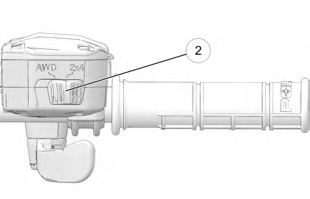 The All Wheel Drive (AWD) system is controlled by the Driveline Switch w. Use this switch to engage AWD or 2×4. The vehicle automatically engages AWD when operating in forward or reverse if the switch is set to AWD. For more information, see page 41.
DRIVELINE SWITCH (ADC MODELS) (IF EQUIPPED)
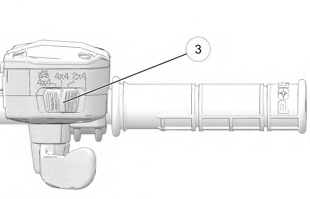 The All Wheel Drive (AWD) system is controlled by the Driveline Switch e. Use this switch to engage ADC, 4×4, or 2×4. The vehicle automatically engages AWD when operating in forward or reverse if the switch is set to 4×4. For more information, see page 41.
AWD MOMENTARY SWITCH (ULTIMATE, X2, AND 6X6 MODELS)
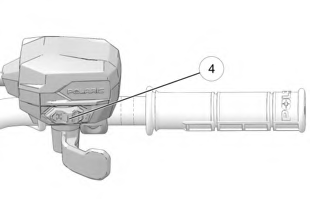 The All Wheel Drive (AWD) system is controlled by the AWD Momentary Switch r. Use this switch to engage TURF mode (if equipped), 2×4, AWD, or ADC. The vehicle automatically engages AWD when operating in forward or reverse if the switch is set to AWD. For more information, see page 43.
DRIVE MODE SWITCH (IF EQUIPPED)
The Drive Mode Switch has three positions:
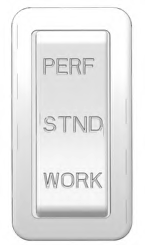 Performance (PERF)
- Standard (STND)
- Work (WORK)
Always use low gear for any of the following conditions regardless of the selected throttle control setting.
- Operating in rough terrain or over obstacles.
- Loading the vehicle onto a trailer.
- Towing heavy loads.
- Driving frequently at low RPM or at ground speeds below 7 MPH (11 km/h).
PERFORMANCE MODE
Offers a more aggressive feel to the power of the vehicle. Vehicle will accelerate harder with less throttle movement.
WORK MODE
Throttle is smoother than standard mode. Best for when the operator wants more precision over vehicle acceleration. This drive mode is recommended to be used when backing up with a trailer, driving over rough terrain, or loading vehicle on a trailer.
STANDARD MODE
Use for majority of driving.
 ALL WHEEL DRIVE SYSTEM
Switching to AWD or ADC mode (if equipped) while the rear wheels are spinning may cause severe drive shaft and gearcase damage. Always switch to AWD or ADC mode (if equipped) while the rear wheels have traction or are at rest.
NOTICE
The All Wheel Drive (AWD) system is controlled by the Driveline Switch. Engage AWD before getting into conditions where front wheel drive may be needed. If the rear wheels are spinning, release the throttle before switching to AWD.
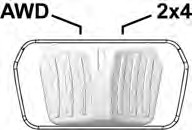
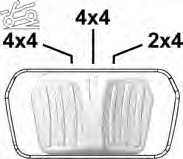
AWD Models ADC Models
AWD MODE
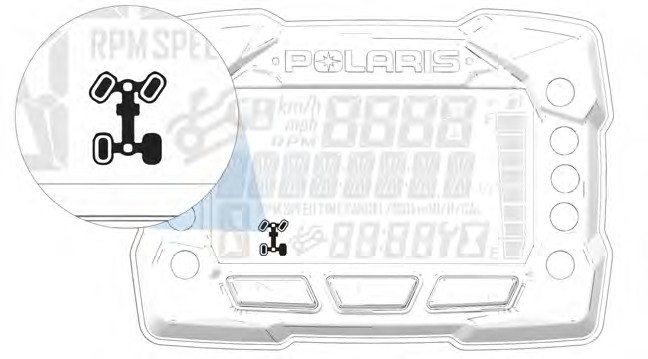
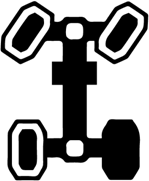 When the driveline switch is set to 4×4 or AWD, the ATV is in four-wheel drive, and the AWD indicator icon is visible on the digital display.
When in AWD, the demand drive unit will automatically engage any time the rear wheels lose traction. When the rear wheels regain traction, the demand drive unit will automatically disengage. There is no limit to the length of time the vehicle may remain in AWD. The vehicle automatically engages AWD when operating in forward or reverse if the switch is set to 4×4 or AWD.
2X4 MODE
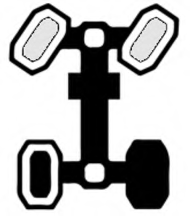 When the driveline switch is set to 2×4, the ATV is in two-wheel drive at all times.
ADC MODE (IF EQUIPPED)
 When the driveline switch is set to ADC, the ADC system allows engine braking to all four wheels when the vehicle descends a hill or incline. Always move the 4×4 switch to ADC before ascending or descending a hill.
ENGAGING AWD
The 4×4 or AWD switch may be turned on or off while the vehicle is moving. Initially, the vehicle’s electronic system will not enable AWD until the engine RPM is below 2800. Once enabled, AWD remains enabled until the 4×4 or AWD switch is turned off. If the switch is turned off while the demand drive unit is moving, it will not disengage until the rear wheels regain traction.
Engage the 4×4 or AWD switch before getting into conditions where front wheel drive may be needed. If the rear wheels are spinning, release the throttle before switching to AWD.
ALL WHEEL DRIVE SYSTEM
Available on Ultimate, X2, and 6×6 Models
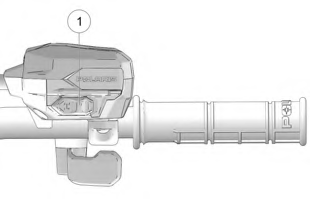 The All Wheel Drive (AWD) system is controlled by the AWD Momentary Switch q.
Engage AWD before getting into conditions where front wheel drive may be needed. If the rear wheels are spinning, release the throttle before switching to AWD mode.
- To engage TURF mode (X2 models), push the momentary switch to the left twice.
- To engage 2×4 mode, push the momentary switch to the left.
- To engage AWD mode, push the momentary switch to the right.
- To engage ADC mode, push the momentary switch to the right twice.
Switching to AWD or ADC mode while the rear wheels are spinning may cause severe drive shaft and gearcase damage. Always switch to AWD or ADC mode while the rear wheels have traction or are at rest.
NOTICE
TURF MODE (X2 MODELS)

Operating in TURF mode when on sloped, uneven, or loose terrain could cause loss of control and result in serious injury or death. One rear wheel may slip and lose traction or may lift up and grab when it touches the ground again.
WARNING
Operating in Turf Mode will unlock the rear differential and enable the rear wheels to rotate at different speeds. This function helps to decrease damage to turf surfaces.
To engage TURF mode, push the momentary switch to the left twice. When operating in TURF mode, the inside rear wheel will rotate independently from the outside wheel during turns. Operate in TURF mode only as needed to protect smooth, level surfaces from tire damage. DO NOT operate in TURF mode when climbing or descending hills, when sidehilling, or when operating on uneven, loose, or slippery terrain such as sand, gravel, ice, snow, obstacles, and water crossings. Always operate in AWD or ADC on these types of terrain.
2X4 MODE
To engage 2×4 mode, push the momentary switch to the left. AWD will disengage when engine speed slows to below 2800 RPM. The gauge will display “2×4.”
AWD MODE
To engage AWD mode, push the momentary switch to the right. AWD will engage when engine speed slows to below 2800 RPM. The gauge will display “AWD.” There is no limit to the length of time the vehicle may remain in AWD. The vehicle automatically engages AWD when operating in forward or reverse if the momentary switch is set to the AWD mode. Once enabled, AWD remains enabled until the AWD mode is turned off. If the AWD mode is turned off while the demand drive unit is moving, it will not disengage until the rear wheels regain traction. When in AWD, the demand drive unit will automatically engage any time the rear wheels lose traction. When the rear wheels regain traction, the demand drive unit will automatically disengage.
ADC MODE
To engage ADC mode, push the momentary switch to the right twice. When the switch is on ADC, the ADC system allows engine braking to all four wheels when the vehicle descends a hill or incline. Always engage ADC mode before ascending or descending a hill.
ACTIVE DESCENT CONTROL (ADC) SYSTEM (IF EQUIPPED)
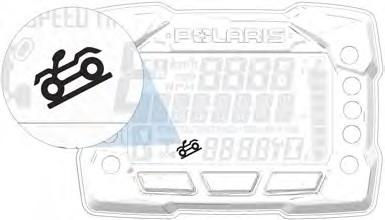 The ADC system allows engine braking to all four wheels when the vehicle descends a hill or incline. Always move the 4×4 or AWD switch to ADC before ascending or descending a hill.
ENGAGING ACTIVE DESCENT CONTROL
The ADC system will automatically engage when all four of the following conditions occur:
- The 4×4 or AWD switch must be in the ADC position
- Vehicle speed must be 15 mph (25 km/h) or less
- The throttle must be closed (throttle lever released)
- The transmission must be in gear (high, low or reverse)
DISENGAGING ACTIVE DESCENT CONTROL
The ADC system will automatically disengage if at least one of the following conditions occur:
- The 4×4 or AWD switch is moved out of the ADC position
- Vehicle speed exceeds 15 mph (25 km/h)
- The throttle is open (throttle is applied)
- The transmission is shifted to neutral or park
BRAKE SYSTEM
BRAKE LEVER

Operating the ATV with a spongy brake lever can result in loss of braking, which could cause an accident. Never operate the ATV with a spongy-feeling brake lever. Always contact your dealer for service before operating the vehicle.
WARNING
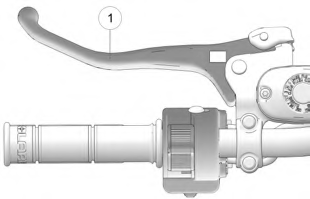 Squeeze the brake lever q toward the handlebar to apply the front and rear brakes. These brakes are hydraulically activated disc type brakes that are activated by only one lever. Always test brake lever travel and master cylinder fluid level before riding. When squeezed, the lever should feel firm.
Any sponginess would indicate a possible fluid leak or low master cylinder fluid level, which must be corrected before riding. Contact your POLARIS dealer or other qualified service facility for proper diagnosis and repairs.
MASTER CYLINDER/BRAKE FLUID

An over-full master cylinder may cause brake drag or brake lock-up, which could result in an accident. Maintain brake fluid at the recommended level. Do not overfill.
WARNING
Check the brake fluid in the master cylinder before each ride.
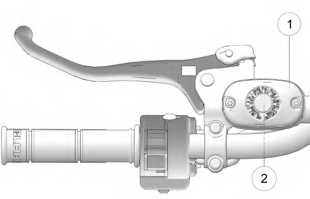 Position the ATV on a level surface.
- Position the handlebars so the master cylinder q is level.
- View the brake fluid level through the indicator window w on the top of the master cylinder. The eye will appear dark when the fluid level is full. When fluid is low, the eye will be clear.
- If the fluid level is low, remove the cover screws and add fluid to the fill line.
Do not overfill. Use DOT 4 brake fluid only.
- Reinstall the cover. Torque screws to 7 in-lbs (1 N·m).

Never store or use a partial bottle of brake fluid. Brake fluid is hygroscopic, meaning it rapidly absorbs moisture from the air. The moisture causes the boiling temperature of the brake fluid to drop, which can lead to early brake fade and the possibility of brake failure, which could result in an accident. After opening a bottle of brake fluid, always discard any unused portion.
WARNING
TEMPORARY BRAKE LOCK

Operating the ATV while the temporary brake lock is engaged could result in an accident or fire. Always make sure the lock is disengaged before operating.
WARNING
To engage the temporary brake lock, do the following:
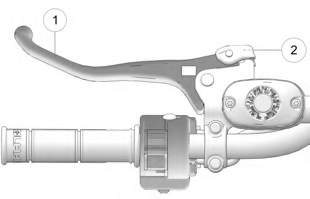 Place the transmission in PARK.
- Squeeze and release the brake lever q two or three times, then squeeze and hold.
- Push the temporary brake lock w
forward to engage the lock.
- Release the brake lever.
- To release the temporary brake lock, squeeze and release the brake lever. It will return to its unlocked position.

The temporary brake lock may relax if left on for a long period of time. Always block the wheels to prevent rolling. Always block the wheels on the downhill side of the ATV if leaving it parked on a hill. Another option is to park the ATV in a sidehill position. Never depend on the temporary brake lock alone if the ATV is parked on a hill.
WARNING
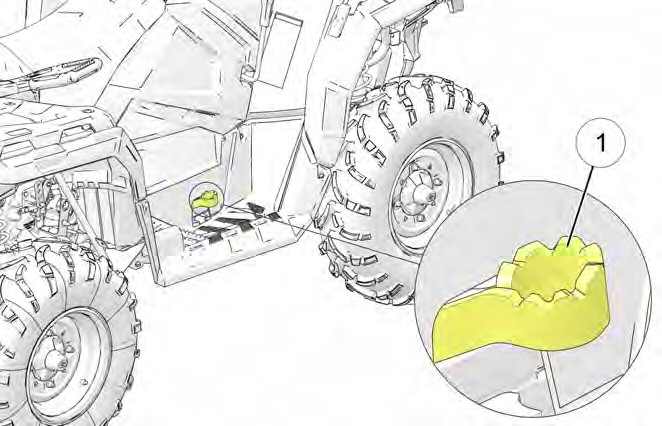 AUXILIARY FOOT BRAKE

Never back down a hill. Applying the auxiliary brake when backing down a hill may cause rear tipover, which could result in serious injury or death.
Use caution when applying the auxiliary brake. Do not aggressively apply the auxiliary brake when going forward. The rear wheels may skid and slide sideways, causing loss of control and serious injury or death.
WARNING
Image is for reference only. Your model might differ slightly.
NOTICE
The auxiliary brake system is intended to be used as a backup for the main brake system. Should the main system fail, use the auxiliary foot brake q.
The auxiliary foot brake is located on the inside of the right footrest. Operate this brake with your right foot. If the rear wheels slide while using the auxiliary brake, reduce brake pedal pressure to brake the rear wheels without skidding.
Check the brake fluid level frequently for the auxiliary brake system. The reservoir is located on the frame and can be accessed through the front right wheel well.
Maintain the fluid level between the maximum and minimum marks. Use DOT 4 brake fluid only.
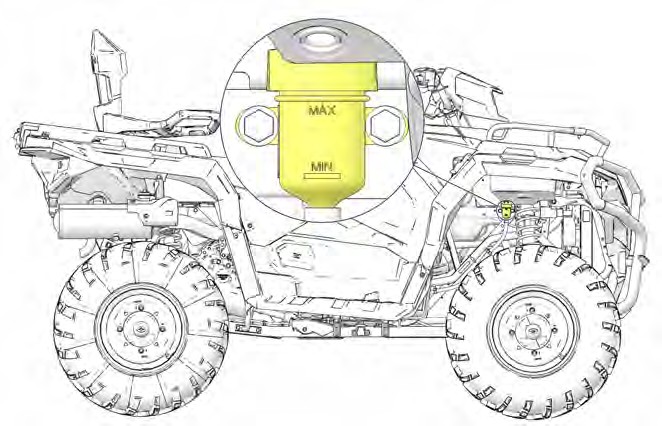
Image is for reference only. Your model might differ slightly.
NOTICE
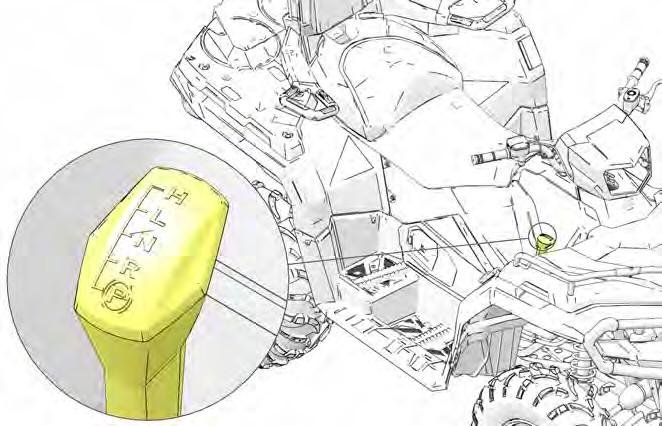 AUTOMATIC TRANSMISSION GEAR SELECTOR
The transmission gear selector is located on the right side of the vehicle.
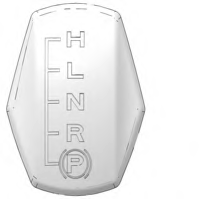 H: High Gear L: Low Gear N: Neutral R: Reverse P: Park
To shift gears, brake to a complete stop. When the engine is idling, move the lever to the desired gear.
Shifting gears with the engine speed above idle or while the vehicle is moving could cause transmission damage.
NOTICE
Whenever the ATV is left unattended, always place the transmission in PARK.
To extend belt life, use low forward gear when pulling a heavy load and when operating uphill at a slow speed.
NOTICE
PASSENGER SEAT (X2 MODELS)
Always make sure the passenger seat lock-out is functioning properly before operating with a passenger.
Do not operate the vehicle with the seat in the 2-up position when operating without a passenger. Always return the seat to the 1-up position for single-rider operation.
Never carry cargo in the rear box when operating the ATV in the 2-up mode with a passenger.
SEAT CONVERSION (X2 MODELS)
The rear seat can be adjusted to three different positions.
NOTICE
- Make sure the cargo box is securely latched.
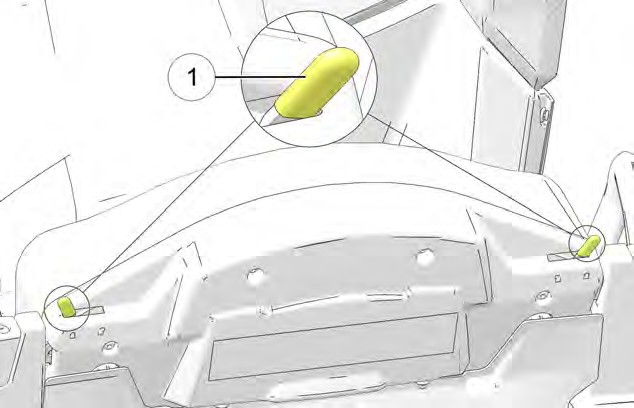 Slide the seat latch levers q inward to release the locks.
- Tilt the backrest slightly forward.
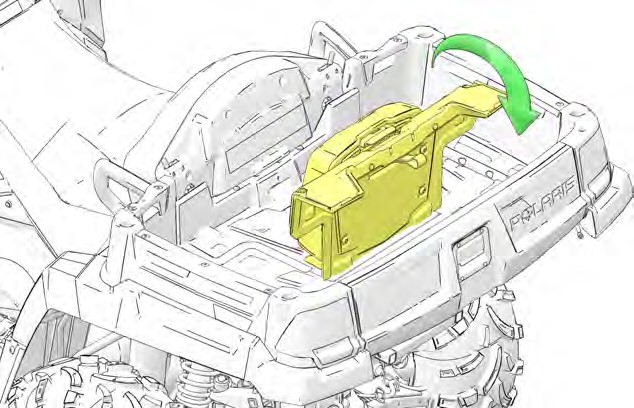 Pull the passenger backrest upward from the bed of the cargo box.
- Lift the adjustment latch w at the top of the passenger backrest. Raise the backrest to the desired position. Release the latch, making sure it locks into one of the three operating positions.
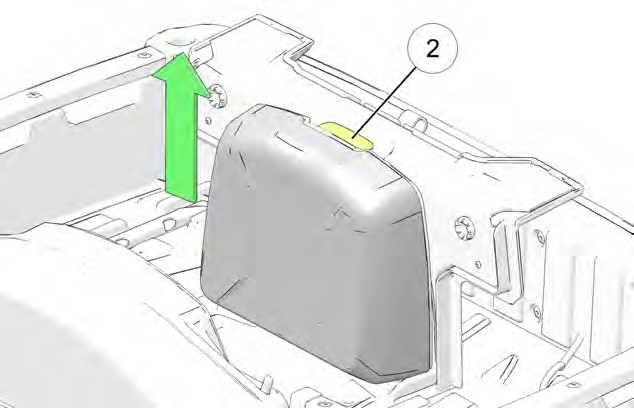
The backrest must be moved out of the lowest position before it can be secured in the upright position. The lowest position is for seat storage only. Do not leave the backrest in the lowest position. Always adjust the backrest to one of the three operating positions.
TIP
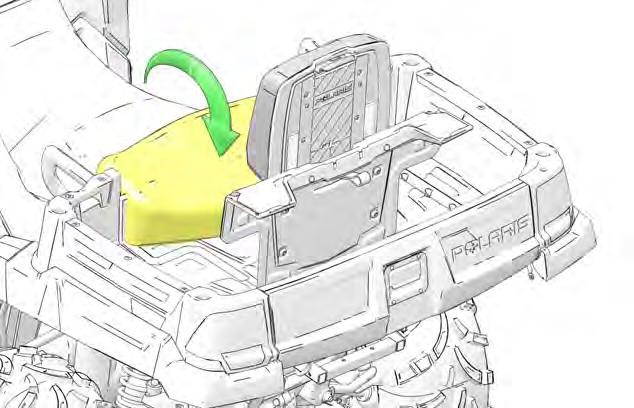 Lower the operator backrest to create the passenger seat. Two retaining pins under the seat should fit into the two grommets on the seat base.
- Test the passenger seat lockout by attempting to release the cargo box dump latch. If the dump latch releases, the seat is not secure. Repeat the set-up procedure. If the lock-out is not working properly, do not allow a passenger to ride the vehicle. See your POLARIS dealer for service.
- To return the vehicle to single-rider operation, reverse all steps. Always lower the passenger backrest to the lowest position before folding it down into the cargo box. Slide the seat latch levers outward to secure the locks.
INSTRUMENT CLUSTER
Features vary by model.
Refer to the Ride Command chapter for more information about the Ride Command display.
NOTICE
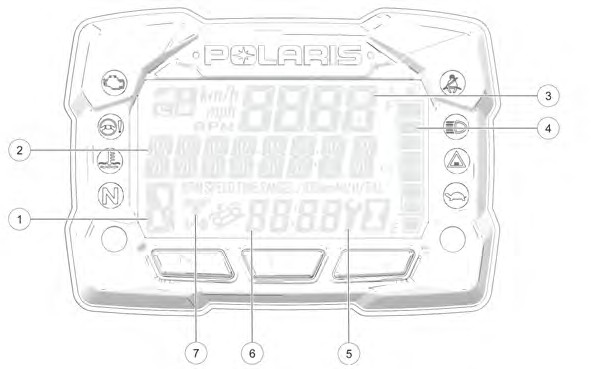
Your vehicle is equipped with one of four available gauge variants, (1) a standard gauge (no Bluetooth® functionality), (2) a Bluetooth®-equipped gauge,
(3) a no-button gauge, or (4) a 7” Ride Command display. If your gauge is equipped with Bluetooth®, the Bluetooth® icon will briefly display in the upper right corner of the gauge at start-up. If your model is equipped with a no-button gauge, use the MODE button on the left hand control to navigate the display menu.
The use of a high pressure washer may damage the instrument cluster. Wash the vehicle by hand or with a garden hose using mild soap. Do not use alcohol to clean the instrument cluster. Do not allow insect sprays to contact the lens. Immediately clean off any gasoline that splashes on the instrument cluster.
NOTICE
|
DISPLAY AREA |
FUNCTION |
|
q Gear Indicator |
H = High Gear L = Low Gear N = Neutral R = Reverse Gear P = Park – = Gear Signal Error (or shifter between gears) |
|
w Display Area 2 |
This area displays odometer, trip meter, trip meter 2, voltage, engine temperature, engine hour meter, programmable service hour interval, ground speed, engine RPM, geofence status, or speed limit status. Press the mode button on the left hand control to toggle through the available options. |
|
e Display Area 1 |
This area displays engine RPM, ground speed, or coolant temperature. |
|
r Fuel Gauge |
The segments of the fuel gauge show the level of fuel in the fuel tank. When the last segment clears, a low fuel warning is activated. All segments including the fuel icon will flash. Refuel immediately. |
|
t Service Indicator |
A flashing wrench symbol alerts the operator that the preset service interval has been reached. Your POLARIS dealer can provide scheduled maintenance. See page 74 for more information. |
|
y Clock (if equipped) |
The clock displays time in a 12-hour or 24-hour format. |
|
u AWD Indicator |
Segments of the indicator illuminate based on drive mode engaged. |
INDICATOR LAMPS
|
INDICATOR |
ICON |
FUNCTION |
|
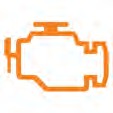
Check Engine |
|
This indicator appears if an EFI-related fault occurs. Do not operate the vehicle if this warning appears. Serious engine damage could result. Your authorized POLARIS dealer can assist. |
|
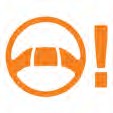
EPS Warning (if equipped) |
|
This indicator illuminates when a fault has occurred in the EPS system. Your authorized POLARIS dealer can assist. EPS operation is possible with key on/engine off for up to 5 minutes. |
|
Engine Hot |
|
This lamp illuminates to indicate an overheated engine. If the indicator flashes, a severe overheating condition exists. |
|
Neutral |
|
This lamp illuminates when the transmission is in neutral and the ignition key is in the ON position. |
|
High Beam |
|
This lamp illuminates when the headlamp switch is set to high beam. |
|
Performance Limited |
|
On models equipped with a low speed limiter, indicator light will remain on when low speed limiter is active. Lamp illuminates when Geofencing or max speed is enabled. Lamp remains off when Geofencing and max speed settings are disabled. |




NO BUTTON GAUGE
Some Sportsman models are equipped with a no-button gauge. This gauge style does not come equipped with a clock feature. Other available features may vary.
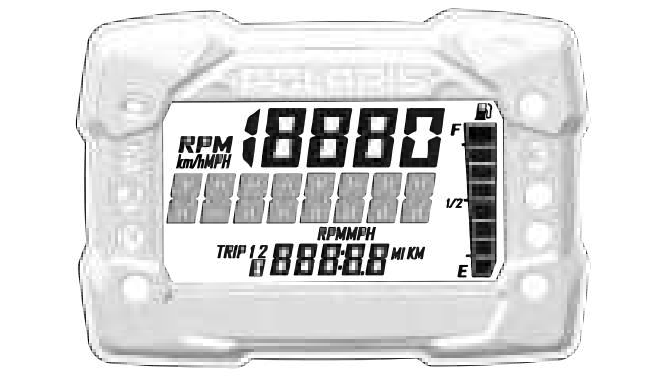
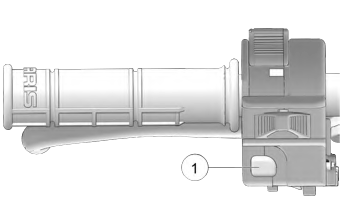 To toggle through available features, press Reverse Override / Mode Button q from the left hand controls. For the full list of available features, see the Display Area 2 section of this chapter.
To change between RPM and MPH, press the Reverse Override / MODE button to cycle to the RPM feature.
NOTICE
DISPLAY AREA 1
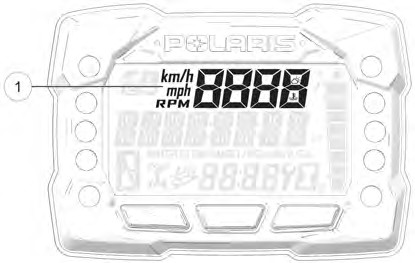 Pressing the MODE button will change the information displayed in Area 1 q.
|
DISPLAY AREA 1 |
FUNCTION |
|
Speed |
The vehicle’s speed will be displayed in mph, or km/h. |
|
Engine Temperature |
The vehicle’s current engine temperature will be displayed. |
|
RPM |
The vehicle’s RPM will be displayed. |
DISPLAY AREA 2
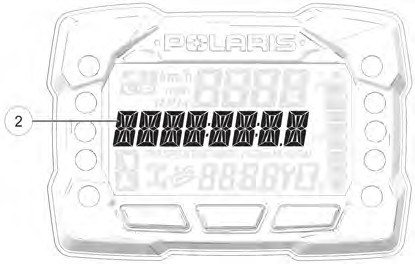 Toggle the Up/Down buttons to change the information displayed in Area 2 w.
|
DISPLAY AREA 2 |
FUNCTION |
|
Odometer |
The vehicle’s odometer reading will be displayed. |
|
Engine Temperature |
The vehicle Engine Temperature will be displayed. |
|
Trip 1 |
The vehicle Trip 1 mileage will be displayed. |
|
Trip 2 |
The vehicle Trip 2 mileage will be displayed. |
|
RPM |
The vehicle RPM will be displayed. |
|
Voltage |
The vehicle’s current battery voltage will be displayed. |
|
Speed |
The vehicle’s current speed will be displayed. |
|
Engine Hours |
The vehicle’s engine hours will be displayed. |
|
Service Hours |
The vehicle’s service hours will be displayed. |
OPTIONS MENU
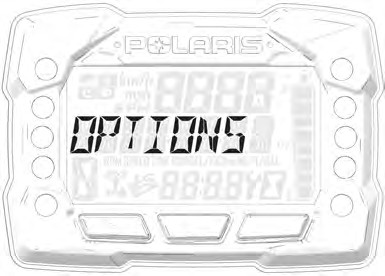 From the options menu you can view diagnostic codes, access the advanced menu, set the clock, and much more. For a full list of available options see below.
To enter the Options Menu, press and hold the MODE button.
|
OPTIONS MENU |
NOTES |
|
Electronic Power Steering (EPS) |
Turn EPS feature on/off and set between high, medium, or low. |
|
Diagnostic Codes |
Only displays if fault codes are present or stored |
|
Advanced Menu (if equipped) |
Set maximum speed, and geofencing settings. |
|
Units – Distance |
Select MPH or KPH |
|
Units – Temp |
Select between °F and °C |
|
Clock (if equipped) |
Select between 12H or 24H, and set time |
|
Backlight Color |
Select between Blue or Red |
|
Backlight Level |
Set backlight brightness level |
|
Service Hours |
View/Set Service hours |
|
Exit Menu |
Exit |
DIAGNOSTIC CODE
Diagnostic Code Screen will show available MIL that has come on during that ignition cycle.
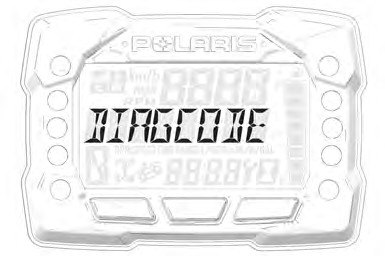 To access the Diagnostic Code Screen, do the following:
- Press and hold the MODE button to enter the Options Menu. “OPTIONS” will display on the screen for 3 seconds before showing first menu item.
- Select “Diagnostic Codes” from the Options Menu by pressing the MODE button.
Toggle the Up/Down Buttons to cycle through Code(s).
This option will only be available if a fault code was set or is active during the current ignition key ‘on’ cycle. Turning off the ignition will clear any save fault codes from the gauge.
NOTICE
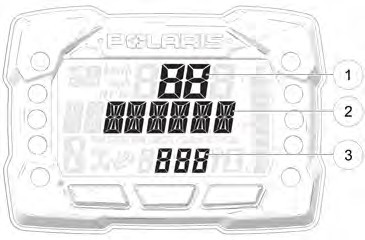 q Display area 1 will show FMI w Display area 2 will show SPN e Clock Area will show Count.
When the gauge is displaying a fault code, the warning telltale (check engine or EPS) will blink to indicate which controller set the fault code.
NOTICE
- To exit the Options Menu the user can select Exit Menu function from Options Menu, can hold Mode Button and exit out of Options Menu, or not press any button for 10 seconds, which will exit out of the Options Menu
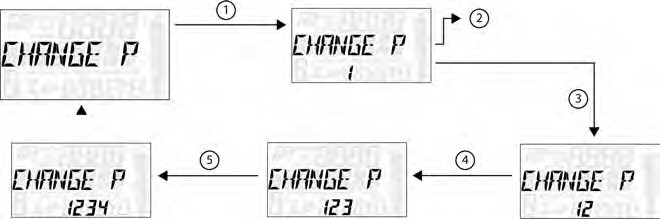
- Press and hold the MODE button to enter the Options Menu.
“OPTIONS” will display on the screen for 3 seconds before showing first menu item.
NOTICE
- Select “ADVANCED MENU” by pressing the MODE button.
- Enter PIN.
- Select “CHANGE PIN” from the Advanced Menu by pressing the MODE button.
Reference the image shown above:
q Press the MODE button.
w Toggle the Up/Down buttons to increase/decrease the first digit of the new PIN.
e With the desired first digit of the new PIN displayed, Press the MODE button which will set the digit and move to the 2nd digit.
r Toggle the Up/Down Buttons to increase/decrease the 2nd digit of the new PIN. Press MODE button to set 2nd digit and move on to the 3rd digit.
t Toggle the Up/Down Buttons to increase/decrease the 3rd digit of the new PIN. Press MODE button to set 3rd digit and move on to the 4th digit.
- Press the MODE button to set the 4th digit and exit.
- To exit the Advanced Menu the user can select Exit Menu function from Advanced Menu, can hold Mode button and exit out of Advanced Menu, or not press any button for 10 seconds, which will exit out of the Options Menu.
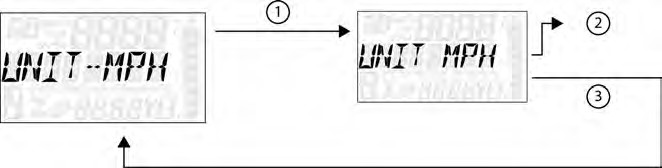 UNIT SELECTION DISTANCE
-
- Press and hold the MODE button to enter the Options Menu.
“OPTIONS” will display on the screen for 3 seconds before showing first menu item.
NOTICE
-
- Select “Units-Distance” from the Options Menu by pressing the MODE button.
Reference the image shown above:
q Press the MODE button.
w Toggle the Up/Down Buttons to change the units (MPH or KPH)
e With the correct unit displayed, Press the mode button which will set the unit and return to the Options Menu.
-
- To exit the Options Menu the user can select Exit Menu function from Options Menu, can hold Mode Button and exit out of Options Menu, or not press any button for 10 seconds, which will exit out of the Options Menu.
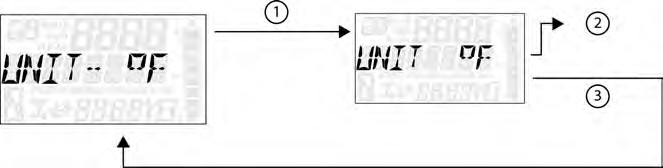 UNIT SELECTION TEMPERATURE
- Press and hold the MODE button to enter the Options Menu.
“OPTIONS” will display on the screen for 3 seconds before showing first menu item.
NOTICE
- Select “Units – Temp” from the Options Menu by pressing the MODE button. Reference the image shown above:
q Press the MODE button.
w Toggle the Up/Down Buttons to change the units (°F or °C)
e With the correct unit displayed, Press the mode button which will set the unit and return to the Options Menu.
- To exit the Options Menu the user can select Exit Menu function from Options Menu, can hold Mode Button and exit out of Options Menu, or not press any button for 10 seconds, which will exit out of the Options Menu.
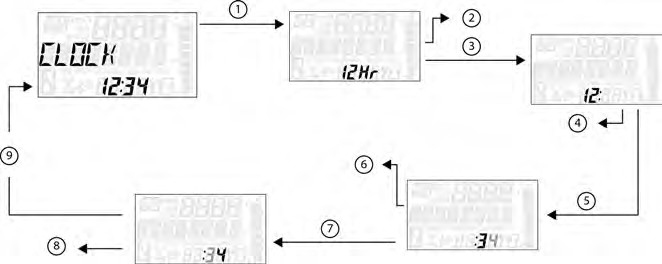 CLOCK (IF EQUIPPED)
-
- Press and hold the MODE button to enter the Options Menu.
“OPTIONS” will display on the screen for 3 seconds before showing first menu item.
NOTICE
-
- Select “Clock” from the Options Menu by pressing the MODE button. Reference the image shown above:
q Press the MODE button.
w Toggle the Up/Down Buttons to change the units (12H or 24H)
e With the correct unit displayed, Press the mode button which will set the unit.
r Toggle the Up/Down Buttons to change the units (Cycles Hours)
t With the correct unit displayed, Press the mode button which will set the unit.
y Toggle the Up/Down Buttons to change the units (Cycles 10s of Minutes)
u With the correct unit displayed, Press the mode button which will set the unit.
i Toggle the Up/Down Buttons to change the units (Cycles 1s of Minutes)
o With the correct unit displayed. Press the mode button which will set the unit and return to the Options menu.
-
- To exit the Options Menu the user can select Exit Menu function from Options Menu, can hold Mode Button and exit out of Options Menu, or not press any button for 10 seconds, which will exit out of the Options Menu.
 BACK LIGHT COLOR
- Press and hold the MODE button to enter the Options Menu.
“OPTIONS” will display on the screen for 3 seconds before showing first menu item.
NOTICE
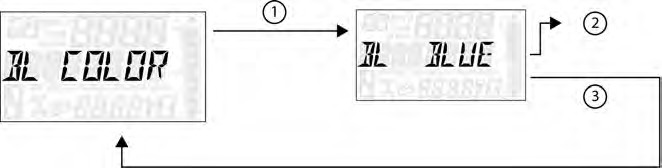
- Select “Backlight Color” from the Options Menu by pressing the MODE button.
Reference the image shown above:
q Press the MODE button.
w Toggle the Up/Down Buttons to change the units (Blue or Red)
e With the correct unit displayed, Press the MODE button which will set the unit and return to the Options Menu.
- To exit the Options Menu the user can select Exit Menu function from Options Menu, can hold MODE Button and exit out of Options Menu, or not press any button for 10 seconds, which will exit out of the Options Menu.
 BACK LIGHT LEVEL
-
- Press and hold the MODE button to enter the Options Menu.
“OPTIONS” will display on the screen for 3 seconds before showing first menu item.
NOTICE
-
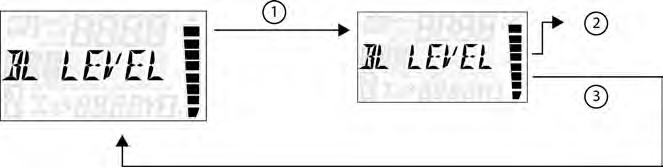
- Select “Backlight Level” from the Options Menu by pressing the MODE button.
Reference the image shown above:
q Press the MODE button.
w Toggle the Up/Down Buttons to change the units (Increase or De- crease Level)
e With the correct unit displayed, Press the MODE button which will set the unit and return to the Options Menu.
-
- To exit the Options Menu the user can select Exit Menu function from Options Menu, can hold MODE Button and exit out of Options Menu, or not press any button for 10 seconds, which will exit out of the Options Menu.
 SERVICE HOURS
- Press and hold the MODE button to enter the Options Menu.
“OPTIONS” will display on the screen for 3 seconds before showing first menu item.
NOTICE
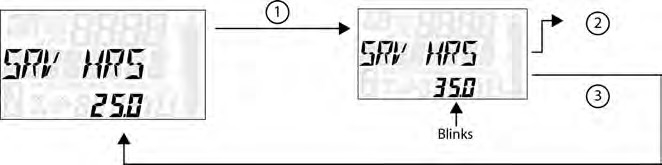
- Select “Service Hours” from the Options Menu by pressing the MODE button. Reference the image shown above:
q Press the MODE button.
w Toggle the Up/Down Buttons to change the units (0, 5, 10 – 95, 100)
e With the correct unit displayed, press the MODE button, which will set the unit and return you to the Options Menu.
To reset service hours after they have counted down to “0.0”, reselect the existing setpoint or select a new service hour value.
NOTICE
- To exit the Options Menu the user can select Exit Menu function from Options Menu, can hold MODE Button and exit out of Options Menu, or not press any button for 10 seconds, which will exit out of the Options Menu.
ELECTRONIC POWER STEERING (EPS) (IF EQUIPPED)
Electronic power steering (EPS), if equipped, engages when the ignition key is turned to the ON position. EPS remains engaged whether the vehicle is moving or idle. See the Instrument Cluster section for EPS Warning Indicator information.
Never switch EPS modes while the vehicle is in motion. Ensure the vehicle is fully stopped and no force is applied to the steering system before switching EPS modes.
NOTICE
 EPS has three modes: high, medium, low. To set the EPS mode, do the following.
-
- Stop the ATV and put it in PARK.
- Press and hold the MODE button to enter the Options Menu. “OPTIONS” will display on the screen for 3 seconds before showing the first menu item.
- Select “EPS” from the Options Menu by pressing the MODE button.
- Toggle the Up/Down Buttons to choose between the high, medium, and low modes.
- Press the MODE button to lock in the EPS setting.
AUXILIARY OUTLET
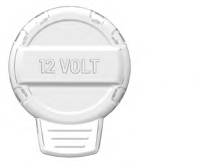 A 12-volt accessory outlet is located on the pod. Use the outlet to power an auxiliary light or other optional accessories or lights.
FUEL CAP
This vehicle is equipped with a digital fuel gauge that will indicate a low fuel condition. Refuel when the gauge indicates a low fuel condition.
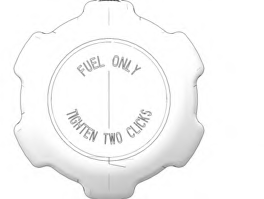 Always refuel with the engine stopped, and outdoors or in a well ventilated area. Refuel on a level surface.
Remove the fuel cap to add fuel to the fuel tank. Use unleaded gasoline with a minimum 87 octane rating (R+M)/2 or 91 RON minimum. Do not use fuel with ethanol content greater than 10 percent, such as E-85 fuel.
BATTERY CHARGE PORT
Your vehicle is equipped with a battery charge port q. The battery charge port allows you to quickly and easily connect a battery charger or maintainer to your vehicle’s battery. For more information see page 198.
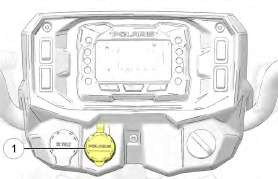
Image is for reference only. Your model might differ slightly.
NOTICE
OPERATION
SAFE OPERATION PRACTICES

Failure to operate the vehicle properly can result in a collision, loss of control, accident or rollover, which may result in serious injury or death. Read and understand all safety warnings outlined in the safety section of this owner’s manual.
WARNING
- Complete the recommended safety training before operating this vehicle. Visit www.atvsafety.org for safety courses and riding tips. See page 11 for details.
- Do not allow anyone under 16 years of age to operate this vehicle. Do not allow anyone with cognitive or physical disabilities to operate this vehicle.
- Never carry a passenger on a 1-up ATV. Never carry more than one passenger on a 2-up ATV.
- Engine exhaust fumes are poisonous. Never start the engine or let it run in an enclosed area.
- Before operating, learn how to use the auxiliary brake for emergency situations (if service brakes become inoperable).
- Use caution and drive at reduced speeds in conditions of reduced visibility such as fog, rain and darkness. Clean headlights frequently and replace burned out headlamps promptly.
- Drive in a manner appropriate for your skills, your passenger’s skills (if you are operating a 2-up ATV), and operating conditions. Never operate at excessive speeds. Never attempt wheelies, jumps, or other stunts. Never remove your hands from the handlebars while operating, and always keep both feet on the footrests.
- Never consume alcohol or drugs before or while operating an ATV.
- Always use the size and type of tires specified for your vehicle. Always maintain proper tire pressure.
- Never operate a damaged ATV. After any overturn or accident, have a qualified service dealer inspect the entire machine for possible damage.
- Never operate the ATV on a frozen body of water unless you have independently verified that the ice is sufficiently thick to support the weight and moving force of the ATV, you and your cargo, together with any other vehicles in your party.
- Do not touch hot exhaust system components. Always keep combustible materials away from the exhaust system.
- Always remove the ignition key when the vehicle is not in use to prevent unauthorized use.
TRAIL ETIQUETTE
Always practice good etiquette when riding. Allow a safe distance between your vehicle and other vehicles operating in the same area. Communicate to oncoming operators by signaling the number of vehicles in your group. When stopping, move your vehicle to the edge of the trail as far as possible to allow others to pass safely.
KNOW YOUR RIDING AREA/TREAD LIGHTLYSM
Familiarize yourself with all laws and regulations concerning the operation of this vehicle in your area. Respect the environment in which you ride your vehicle.
Find out where the designated riding areas are by contacting your POLARIS dealer, a local riding club, or local officials.
Help keep our trails open for recreational vehicle use. As an off-road enthusiast, you represent the sport and can set a good example (or a poor example) for others to follow. Tread LightlySM. Operate with respect for the terrain, avoid littering, and always stay on the designated trails.
VEHICLE BREAK-IN PERIOD
The break-in period for your new POLARIS vehicle is the first 25 hours of operation, or the time it takes to use the first two tanks full of gasoline. No single action on your part is as important as a proper break-in period. Careful treatment of a new engine and drive components will result in more efficient performance and longer life for these components. Perform the following procedures carefully.
Excessive heat build-up during the first three hours of operation will damage close-fitted engine parts and drive components. Do not operate at full throttle or high speeds during the first three hours of use.
Use of any improper oils may cause serious engine damage. POLARIS PS-4 Full Synthetic 5W-50 4-Cycle Oil is specifically formulated for your 4-cycle engine.
NOTICE
ENGINE AND DRIVETRAIN BREAK-IN
-
- Fill the fuel tank with gasoline. Always exercise extreme caution whenever handling gasoline.
- Check the oil level. See the Oil Level Check section for reference. Add the recommended oil as needed to maintain the oil level in the safe operating range.
- Drive slowly at first. Select an open area that allows room to familiarize yourself with vehicle operation and handling.
- Avoid aggressive use of the brakes.
- Vary throttle positions. Do not operate at sustained idle.
- Pull only light loads.
- Perform regular checks on fluid levels, controls, and areas outlined in the pre-ride inspection checklist.
- During the break-in period, change both the engine oil and filter at 25 hours or 500 miles (800 km) (whichever comes first).
- During the break-in period, change the front gearcase fluid at 25 hours or 500 miles (800 km) (whichever comes first).
- During the break-in period, check the transmission fluid level at 25 hours or 500 miles (800 km) (whichever comes first).
BRAKE SYSTEM BREAK-IN
Apply only moderate braking force for the first 50 stops. Aggressive or overly forceful braking when the brake system is new could damage brake pads and rotors.
Perform the following steps on a new vehicle or anytime brake pads are replaced on the vehicle:
- In an appropriate riding area, safely slow the vehicle with moderate (70%) braking from 30 mph (50 km/h) down to 5 mph (8 km/h). Do not stop completely in order to keep air flowing through the brakes.
- Repeat for 10-20 cycles and let the brakes cool between each cycle by riding your vehicle approximately 0.25 miles (400 m).
- After you have completed all 20 cycles, ride the ATV for awhile to cool the braking system to avoid overheating the brakes.
- Stop the vehicle and put the transmission in PARK. DO NOT apply the temporary brake lock until the brake system has fully cooled.
PVT BREAK-IN (CLUTCHES / BELT)
A proper break-in of the clutches and drive belt will ensure a longer life and better performance. Break in the clutches and belt by operating at slower speeds during the break-in period as recommended. Pull only light loads. Avoid aggressive acceleration and high speed operation during the break-in period.
If a belt fails and you need to replace it, always clean all debris from the PVT intake and outlet duct, the clutch, and the engine components.
PRE-RIDE CHECKLIST
Failure to inspect and verify that the ATV is in safe operating condition before operating increases the risk of an accident. Always inspect the ATV before each use to make sure it’s in safe operating condition.
|
ITEM |
REMARKS |
PAGE |
|
Brake system/lever travel |
Ensure proper operation. Inspect for adequate brake pad life. |
|
|
Brake fluid |
Ensure proper level |
|
|
Auxiliary brake |
Ensure proper operation |
|
|
Front suspension |
Inspect |
– |
|
Rear suspension |
Inspect |
– |
|
Steering |
Ensure free operation |
– |
|
Tires |
Inspect condition and pressure |
|
|
Wheels/fasteners |
Inspect, ensure fastener tightness |
|
|
Fuel and oil |
Ensure proper levels |
|
|
Coolant level |
Ensure proper level |
|
|
Coolant hoses |
Inspect for leaks |
– |
|
Throttle |
Ensure proper operation |
|
|
Indicator lights/switches |
Ensure operation |
|
|
Engine stop switch |
Ensure proper operation |
|
|
Air filter, pre-filter |
Inspect, clean |
|
|
Headlamp |
Check operation |
|
|
Brake light/taillight |
Check operation |
– |
|
Riding gear |
Wear approved helmet, goggles, and protective clothing |
|
|
Winch (if equipped) |
Inspect cable and switch |
|
|
Grass and leaves |
Remove grass, leaves, foreign matter, and other flammable material or debris, especially near the exhaust system. |
– |
DRIVING PROCEDURES
NEW OPERATOR DRIVING PROCEDURES
- Complete a certified safety training course. See the Safety Training section.
- Wear protective riding gear. See the Safe Riding Gear section.
- Perform the pre-ride inspection.
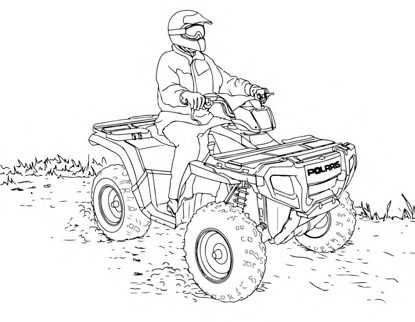 Place the transmission in PARK.
- Lock the temporary brake lock.
- Mount the vehicle from the left side.
- Sit upright with both feet on the footrests and both hands on the handlebars.
- Start the engine and allow it to warm up.
- Shift the transmission into gear.
- Check your surroundings and determine your path of travel.
- Release the temporary brake lock.
- Slowly depress the throttle with your right thumb and begin driving.
- Drive slowly. Practice maneuvering and using the throttle and brakes on level surfaces.
TURNING THE VEHICLE
Both rear wheels drive equally at all times. This means that the outside wheel must travel a greater distance than the inside wheel when turning, and the inside tire must slip traction slightly.
-
- Slow down.
- Never turn quickly when carrying cargo.
- Steer in the direction of the turn.
- Keep both feet on the footrests.
- Lean your upper body to the inside of the turn while supporting your weight on the outer footrest. This technique alters the balance of traction between the rear wheels, allowing the turn to be made smoothly. The same leaning technique should be used for turning in reverse.
- Practice making turns at slow speeds before attempting to turn at faster speeds.

Turning improperly can result in vehicle overturn. Never turn abruptly or at sharp angles. Never turn at high speeds.
WARNING
DRIVING ON SLIPPERY SURFACES
Whenever riding on slippery surfaces such as wet trails or loose gravel, or during freezing weather, follow these precautions:
- Do not operate on excessively rough, slippery or loose terrain.
- Slow down when entering slippery areas.
- Engage AWD before wheels begin to lose traction.
Severe damage to drive train may occur if the AWD is engaged while the wheels are spinning. Allow the rear wheels to stop spinning before engaging AWD, or engage AWD before wheels begin to lose traction.
NOTICE
- Maintain a high level of alertness, reading the trail and avoiding quick, sharp turns, which can cause skids.
- Never apply the brakes during a skid. Correct a skid by turning the handlebars in the direction of the skid and shifting your body weight forward.
DRIVING UPHILL
Braking and handling are greatly affected when operating in hilly terrain. Improper procedure could cause loss of control or overturn. Whenever traveling uphill, follow these precautions:
-
- Always engage ADC before ascending or descending a hill.
- Drive straight uphill.
- Avoid steep hills. Maximum incline is: 15°
- Always check the terrain carefully before ascending any hill.
- Never climb hills with excessively slippery or loose surfaces.
- Keep both feet on the footrests.
- Shift body weight uphill.
- Proceed at a steady rate of speed and throttle opening. Opening the throttle suddenly could cause the ATV to flip over backwards.
- Never go over the top of any hill at high speed. An obstacle, a sharp drop, or another vehicle or person could be on the other side of the hill.
- Remain alert and be prepared to take emergency action. This may include quick dismounting of the vehicle.
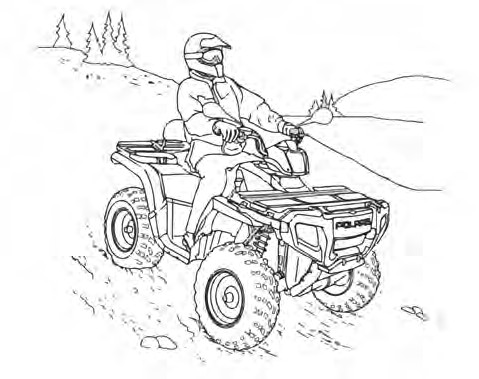 DRIVING DOWNHILL
When driving downhill, follow these precautions:
- Always check the terrain carefully before descending a hill.
- Always engage ADC mode before ascending or descending a hill.
- Avoid steep hills. Maximum incline is 15°
- Always descend a hill with the transmission in forward gear. Do not descend a hill with the transmission in neutral.
- Slow down. Never travel down a hill at high speed.
- Drive straight downhill. Avoid traveling down a hill at an angle, which would cause the vehicle to lean sharply to one side.
- Shift body weight uphill.
- Apply the brakes slightly to aid in slowing. Applying the brakes too firmly may cause the rear wheels to lock, which could result in loss of control.
DRIVING ON A SIDEHILL (SIDEHILLING)
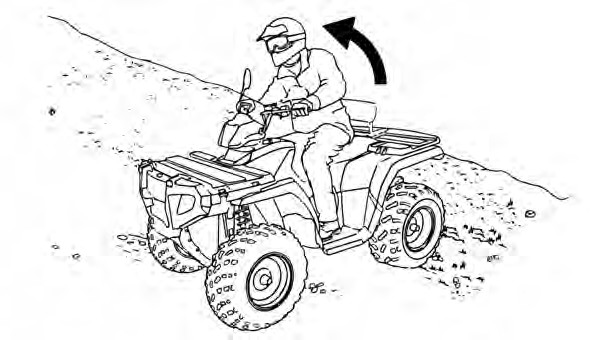
Driving on a sidehill is not recommended. Improper procedure could cause loss of control or overturn. Avoid crossing the side of any hill unless absolutely necessary.
If crossing a sidehill is unavoidable, follow these precautions:
-
- Slow down.
- Avoid crossing the side of a steep hill.
- Lean into the hill, transferring your upper body weight toward the hill while keeping your feet on the footrests.
- If the vehicle begins to tip, quickly turn the front wheel downhill, if possible, or dismount on the uphill side immediately!
TURNING AROUND ON A HILL (K-TURN)
If the vehicle stalls while climbing a hill, never back it down the hill! Use the K-turn to turn around.
- Stop and lock the temporary brake lock while keeping body weight uphill.
- Always engage AWD or ADC mode (if equipped) before ascending or descending a hill.
- Leave the transmission in forward and shut off the engine.
- Dismount on the uphill side of the vehicle, or on the left if the vehicle is pointing straight uphill.
- Staying uphill of the vehicle, turn the handlebars full left.
- While holding the brake lever, release the temporary brake lock and slowly allow the vehicle to roll around to your right until it’s pointing across the hill or slightly downward.
- Lock the temporary brake lock. Remount the vehicle from the uphill side, keeping body weight uphill. Start the engine with the transmission still in forward.
- Release the temporary brake lock and proceed slowly, controlling speed with the brake lever, until the vehicle is on more level ground.
DRIVING THROUGH WATER
Major engine damage can result if the vehicle is not thoroughly inspected after operation in water. Perform the services outlined in the Maintenance chapter. The following areas need special attention: engine oil, transmission fluid, demand drive fluid, and all grease fittings.
If the vehicle tips or overturns in water, or if the engine stops during or after operating in water, service is required before starting the engine. Your POLARIS dealer can provide this service. If it’s impossible to bring the vehicle in before starting the engine, perform the service outlined in the Vehicle Immersion section of this manual, and take the vehicle in for service at the first opportunity.
NOTICE
Your ATV can operate through water with a maximum recommended depth equal to the bottom of the footrests.
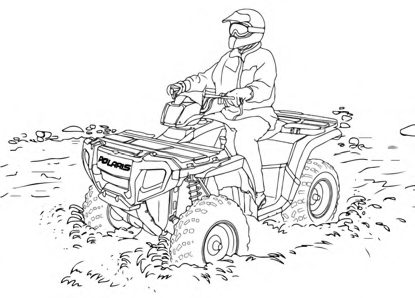 Follow these procedures when operating through water:
-
- Determine water depths and current before entering water.
- Choose a crossing where both banks have gradual inclines.
- Avoid operating through deep or fast-flowing water.
- After leaving water, test the brakes. Apply them lightly several times while driving slowly. The friction will help dry out the pads.
If it’s unavoidable to enter water deeper than the footrest level:
-
-
- Proceed slowly. Avoid rocks and obstacles.
- Balance your weight carefully. Avoid sudden movements.
- Maintain a steady rate of speed. Do not make sudden turns or stops. Do not make sudden throttle changes.
-
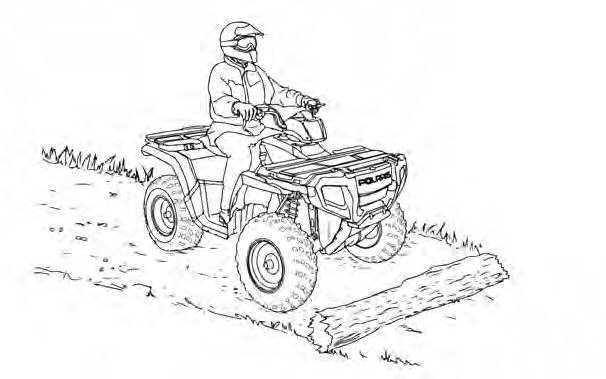 DRIVING OVER OBSTACLES
Follow these precautions when operating over obstacles:
- Always check for obstacles before operating in a new area.
- Look ahead and learn to read the terrain. Be constantly alert for hazards such as logs, rocks and low hanging branches.
- Travel slowly and use extra caution when operating on unfamiliar terrain. Not all obstacles are immediately visible.
- Never attempt to operate over large obstacles, such as rocks or fallen trees.
- If you are operating a 2-up ATV, always have the passenger dismount before you operate over an obstacle that could cause a fall from the vehicle or vehicle tipover.
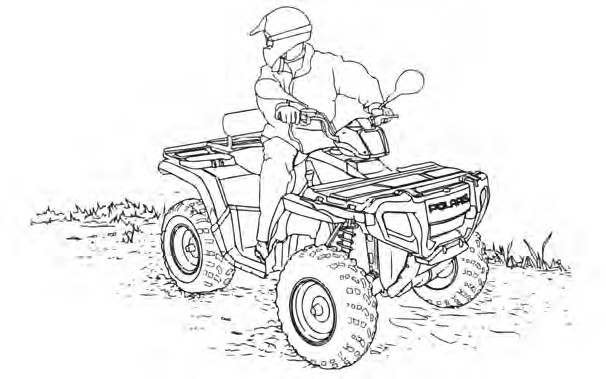 DRIVING IN REVERSE
Follow these precautions when operating in reverse:
-
- Always check for obstacles or people behind the vehicle.
- Always avoid backing downhill.
- Back slowly.
- Apply the brakes lightly for stopping.
- Avoid turning at sharp angles.
- Never open the throttle suddenly.
- Do not use the override switch unless additional wheel speed is required for vehicle movement. Use the override with caution as rearward vehicle speed is greatly increased. Do not operate at wide open throttle. Operate the throttle just enough to maintain a desired speed.
Excessive throttle operation while in the speed limit mode may cause fuel to build in the exhaust, resulting in engine popping and/or engine damage.
NOTICE
STARTING THE ENGINE
- Position the vehicle on a level surface outdoors or in a well- ventilated area.
- Place the transmission in PARK.
- Lock the temporary brake lock.
- Sit on the vehicle and move the engine stop switch to RUN.
Do not press the throttle while starting the engine.
NOTICE
- Turn the ignition key past the ON position to engage the starter. Activate the starter for a maximum of five seconds, releasing the key when the engine starts.
- If the engine does not start, return the key to the OFF position and wait five seconds before attempting to start again. Activate the starter for another five seconds if necessary. Repeat this procedure until the engine starts.
Operating the vehicle immediately after starting could cause engine damage. Allow the engine to warm up for several minutes before operating the vehicle.
NOTICE
COLD WEATHER OPERATION
If the vehicle is used year-round, check the oil level frequently. A rising oil level could indicate the accumulation of contaminates such as water or excess fuel in the bottom of the crankcase. Water in the bottom of the crankcase can lead to engine damage and must be drained. Water accumulation increases as outside temperature decreases.
STOPPING THE ENGINE
- Release the throttle completely and brake to a complete stop.
- Place the transmission in PARK.
- Turn the key to the OFF position.
- Slowly release the brake pedal and make sure the transmission is in PARK before exiting the vehicle.

A rolling vehicle can cause serious injury. Always place the transmission in PARK before stopping the engine.
WARNING
FUEL RECOMMENDATION
POLARIS recommends using fresh unleaded 87 octane TOP TIER DETERGENT GASOLINE® containing up to 10% ethanol purchased during the season of vehicle usage. This fuel will provide the best engine performance (starting, run quality, fuel economy, and power) and durability.
Octane Rating
POLARIS recommends using unleaded gasoline with a minimum 87 octane rating (R+M)/2 or 91 RON minimum. Using lower octane gasoline could result in engine damage.
Ethanol Content
POLARIS recommends gasoline containing up to 10% ethanol (E10). Higher levels of ethanol (ex. E15 and E85) could result in engine damage.
Detergent Gasoline
POLARIS recommends TOP TIER DETERGENT GASOLINE® to keep the engine cleaner by reducing carbon deposits, which will help maintain engine performance and durability. Refer to www.toptiergas.com for a list of TOP TIER DETERGENT GASOLINE® retailers. Alternatively, the logo shown below on the retailer’s fuel pump will confirm that TOP TIER DETERGENT GASOLINE® is being dispensed.

If TOP TIER DETERGENT GASOLINE® is not available, adding POLARIS Carbon Clean to the fuel tank at every oil change will help reduce carbon deposits.
Seasonal Blends
POLARIS recommends using gasoline that is purchased during the season the vehicle is being used, especially summer vs. winter. Between seasons, refineries typically change the gasoline blend to avoid temperature induced engine performance issues. Winter blend gasoline improves engine starting in cold weather and summer blend gasoline helps prevent vapor lock issues in hot weather.
PARKING THE VEHICLE
- Stop the vehicle on a level surface. When parking inside a garage or other structure, be sure that the structure is well ventilated and that the vehicle is not close to any source of flame or sparks, including any appliance with pilot lights.
- Place the transmission in PARK.
- Turn the engine off.
- Slowly release the brake pedal and make sure the transmission is in PARK before exiting the vehicle.
- Remove the ignition key to prevent unauthorized use.
PARKING ON AN INCLINE
Avoid parking on an incline if possible. If it’s unavoidable, follow these precautions:
- Place the transmission in PARK.
- Turn the engine off.
- Lock the temporary brake lock.
- Always block the rear wheels on the downhill side.
HAULING CARGO
CARGO WARNING
WARNING

Overloading the vehicle or carrying or towing cargo improperly can alter vehicle handling and may cause loss of control or brake instability, which can result in serious injury or death. Always follow these precautions when hauling cargo:
REDUCE SPEED AND ALLOW GREATER DISTANCES FOR BRAKING WHEN HAULING CARGO.
NEVER EXCEED THE MAXIMUM WEIGHT CAPACITY of the vehicle. When
determining the weight you are adding to the vehicle, include the weight of the operator, passenger (if you are operating a 2-up ATV), accessories, loads in the rack or box and the load on the trailer tongue. The combined weight of these items must not exceed the maximum weight capacity.
CARGO WEIGHT DISTRIBUTION should be 1/3 on the front rack and 2/3 on the rear rack. When operating over rough or hilly terrain, reduce speed and cargo to maintain stable driving conditions. Carrying loads on only one rack increases the possibility of vehicle overturn.
CARRY LOADS AS LOW ON THE RACKS AS POSSIBLE. Carrying loads
high on the racks raises the center of gravity of the vehicle and creates a less stable operating condition.
SECURE ALL LOADS BEFORE OPERATING. Unsecured loads can create unstable operating conditions, which could result in loss of control of the vehicle.

OPERATE ONLY WITH STABLE AND SAFELY ARRANGED LOADS. When
handling off-centered loads that cannot be centered, securely fasten the load and operate with extra caution. Always attach the tow load to the hitch point designated for your vehicle.
HEAVY LOADS CAN CAUSE BRAKING AND CONTROL PROBLEMS. Use
extreme caution when applying brakes with a loaded vehicle. Avoid terrain or situations that may require backing downhill.
USE EXTREME CAUTION when operating with loads that extend over the rack sides. Stability and maneuverability may be adversely affected, causing the vehicle to overturn.
DO NOT BLOCK THE FRONT HEADLIGHT BEAM when carrying loads on the front rack.
DO NOT TRAVEL FASTER THAN THE RECOMMENDED SPEEDS.
The vehicle should never exceed 10 mph (16 km/h) while towing a load on a level surface. Vehicle speed should never exceed 5 mph (8 km/h) when towing loads in rough terrain, while cornering, or while ascending or descending a hill.
WARNING
HAULING CARGO GUIDELINES
When hauling cargo, adhere to the following:
- Never exceed the weight capacities specified for your ATV on warning labels and in the specifications section of this manual.
- Always load a cargo box with the load as far forward as possible. Make sure the cargo box dump latch is securely latched before loading and operating. Unintentional dumping will result if weight is placed in the rear of the box and the latch is not secured.
No gasoline or other flammable fluids should be stored and / or transported in the cargo box.
IMPORTANT
- Models With Racks: Cargo weight should be evenly distributed with 1/3 on the front rack and 2/3 on the rear rack and mounted as low as possible.
- All Models: NEVER exceed 50 mph (80 km/h) when rear cargo loads are above 75 lb (34 kg) and/or front cargo loads are above 37 lb (17 kg). NEVER exceed 50 mph (80 km/h) while carrying a passenger.
6×6 Models: NEVER exceed 10 mph (16 km/h) when rear cargo loads are above 200 lb (91 kg) and/or front cargo loads are above 90 lb (45 kg).
- When operating over rough or hilly terrain, reduce speed and cargo weight to maintain stable driving conditions.
- Do not obstruct the headlight beam with cargo.
- Use low forward gear when hauling or towing heavy cargo.
- Always operate the vehicle with extreme caution whenever hauling or towing loads. Balance, handling and control may be affected.
TOWING LOADS
Always attach a towed load to the hitch point. Remove the hitch from the ATV when not towing a trailer. If towing a load, reduce rear rack cargo weight by the amount of tongue weight.
-
- The combination of rear rack cargo weight and tongue weight must not exceed the rear rack capacity.
- The total load (operator, accessories, cargo and weight on hitch) must not exceed the maximum weight capacity of the vehicle.
Using an improper hitch or exceeding the maximum tongue weight capacity can result in serious damage to the vehicle. Never install a hitch longer than 4 in (10 cm). Never install automotive accessories on your POLARIS ATV. Always install POLARIS-approved (or equivalent) accessories designed for ATV use.
NOTICE
MAXIMUM TOWING CAPACITIES
Do not exceed maximum towing capacities. Avoid towing on inclines.
|
MODEL |
CAPACITIES |
FRONT HITCH |
REAR HITCH |
|
Touring and X2 Models |
Maximum Towed Load (Level Ground) |
N/A |
1350 lb (612 kg) |
|
Maximum Vertical Hitch Weight |
N/A |
180 lb (82 kg) |
|
|
6×6 Models |
Maximum Towed Load (Level Ground) |
N/A |
1500 lb (680 kg) |
|
Maximum Vertical Hitch Weight |
N/A |
180 lb (82 kg) |
CARGO BOX DUMPING (IF EQUIPPED)

Operating with the cargo box in the raised position can cause serious injury and damage to the vehicle. The cargo box could close unexpectedly and injure the driver. The rear tires will also catch the rear of the bed, damaging the vehicle and creating hazardous driving conditions. Never operate this vehicle with the cargo box in the raised position.
WARNING
- Select a level site to dump the cargo box. Do not attempt to dump or unload the vehicle while parked on an incline.
- Place the transmission in PARK. Lock the temporary brake lock.
- Dismount the vehicle.
- Lower the tailgate.

If cargo weight is placed toward the rear of the cargo box, the load may dump unexpectedly and cause serious injury. When loading cargo, always position the weight as far forward and as low as possible.
WARNING
- Pull the cargo box release lever q upward.
- Lift the front of the cargo box and dump the cargo.
- Lower the cargo box and make sure the release latch is secured.

To prevent a crushing injury to hands and fingers, keep hands and fingers away from the lower front edge of the cargo box while lowering the box.
WARNING
- Secure the tailgate.
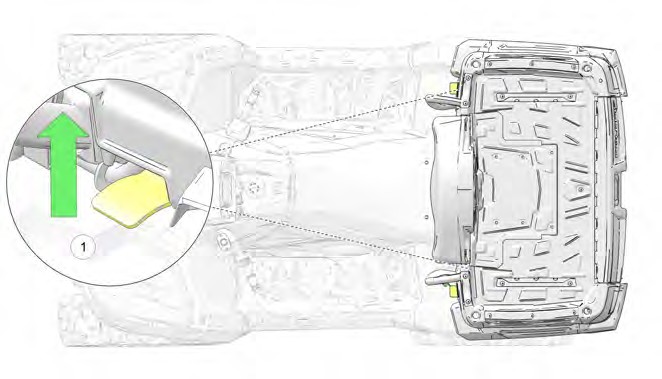
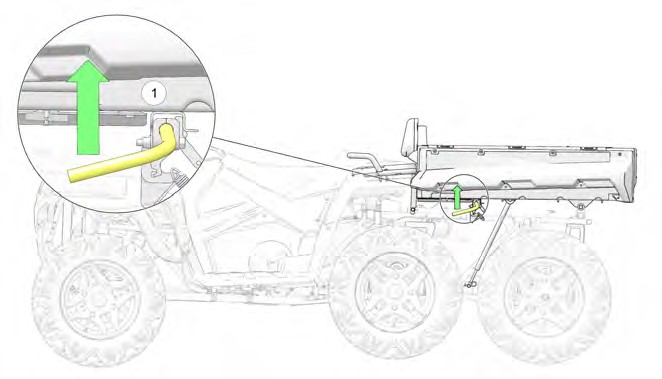
TOWING YOUR VEHICLE
If towing your vehicle is necessary, shift the transmission into neutral for better mobility and to prevent damage to the belt. Always attach the tow cable to the front tow loop of the disabled vehicle. A rider must be on board to steer the disabled vehicle while towing.
WINCH GUIDE (IF EQUIPPED)
WINCH SAFETY
These safety warnings and instructions apply if your vehicle came equipped with a winch or if you choose to add an accessory winch to your vehicle.

Improper winch use can result in SEVERE INJURY or DEATH. Always follow all winch instructions and warnings in this manual.
WARNING
Your winch may have a cable made of either wire rope or specially designed synthetic rope. The term “winch cable” will be used for either unless noted otherwise.
WINCH SAFETY PRECAUTIONS
- Read all sections of this manual.
- Never use alcohol or drugs before or while operating the winch.
- Never allow children under 16 years of age to operate the winch.
- Always wear eye protection and heavy gloves when operating the winch.
- Always keep body, hair, clothing and jewelry clear of the winch cable, fairlead and hook when operating winch.
- Never attempt to “jerk” a load attached to the winch with a moving vehicle. See the Shock Loading section on page 125.
- Always keep the area around the vehicle, winch, winch cable, and load clear of people (especially children) and distractions while operating the winch.
- Always turn the vehicle ignition power OFF when it and the winch are not being used.
- Always be sure that at least five (5) full turns of winch cable are wrapped around the winch drum at all times. The friction provided by this wrapped cable allows the drum to pull on the winch cable and move the load.
- Always apply your vehicle’s park brake and/or park mechanism to hold the vehicle in place during winching. Use wheel chocks if needed.
- Always align the vehicle and winch with the load directly in front of the vehicle as much as possible. Avoid winching with the winch cable at an angle to the winching vehicle’s centerline whenever possible.
- If winching at an angle is unavoidable, follow these precautions:
- Look at the winch drum occasionally. Never let the winch cable “stack” or accumulate at one end of the winch drum. Too much winch cable at one end of the winch drum can damage the winch and the winch cable.
- If stacking occurs, stop winching. Follow step 15 of Winch Operation to feed and rewind the cable evenly before continuing the winch operation.
- Never winch up or down at sharp angles. This can destabilize the winching vehicle and possibly cause it to move without warning.
- Never attempt to winch loads that weigh more than the winch’s rated capacity.
- The winch motor may become hot during winch use. If you winch for more than 45 seconds, or if the winch stalls during operation, stop winching and permit the winch to cool down for 10 minutes before using it again.
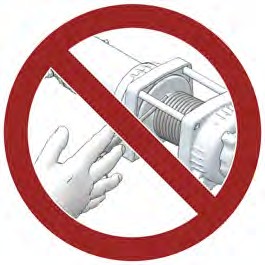 Never touch, push, pull or straddle the winch cable while winching a load.
- Never let the winch cable run through your hands, even if wearing heavy gloves.
- Never release the clutch on the winch when the winch cable is under load.
- Never use the winch for lifting or transporting people.
- Never use the winch to hoist or suspend a vertical load.
- Always inspect your winch and winch cable before each use.
- Never winch the hook fully into the winch. This can cause damage to winch components.
- Unplug the remote control from the vehicle when the winch is not in use to prevent inadvertent activation and use by unauthorized persons.
- Never grease or oil the winch cable. This will cause the winch cable to collect debris that will shorten the life of the cable.
WINCH OPERATION
Read the Winch Safety Precautions in the preceding pages before using your winch.
Consider practicing the operation and use of your winch before you actually need to use it in the field.
TIP

Improper winch use can result in SEVERE INJURY or DEATH. Always follow all winch instructions and warnings in this manual.
Each winching situation is unique.
- Take your time to think through the winching you are about to do.
- Proceed slowly and deliberately.
- Never hurry or rush during winching.
- Always pay attention to your surroundings.
- You may need to change your winching strategy if it is not working.
- Always remember that your winch is very powerful.
- There are simply some situations that you and your winch will not be able to deal with. Do not be afraid to ask others to help when this happens.
WARNING
- Always inspect the vehicle, winch, winch cable and winch controls for any signs of damage or parts in need of repair or replacement before each use. Pay particular attention to the first 3 feet (1 meter) of winch cable if the winch is being used (or has been used) for lifting an accessory plow assembly. Promptly replace any worn or damaged cable.
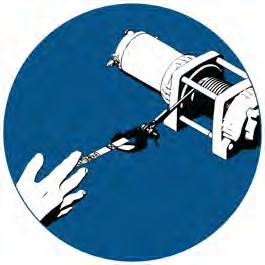 Never operate a winch or a vehicle in need of repair or service.
- Always apply your vehicle’s park brake and/ or park mechanism to hold the vehicle in place during winching. Use wheel chocks if needed.
- Always use the hook strap when handling the hook.

Never put your fingers into the hook. This could lead to SEVERE INJURY.
WARNING
- Attach the hook itself onto the load or use a tow strap or chain to secure the load to the winch cable.
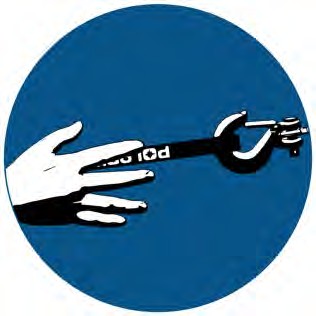
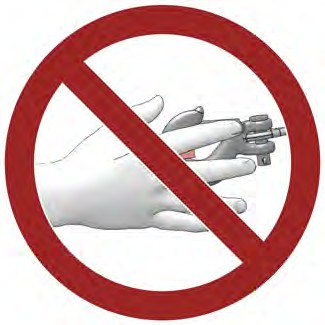
A “tow strap” is NOT intended to stretch. A “recovery strap” is designed to stretch.
TIP

Never use a recovery strap when winching due to the excessive energy that can be released if the winch cable breaks. This can result in SEVERE INJURY or DEATH. See the Shock Loading section on page 125.
WARNING
- Never hook the winch cable back onto itself. This will damage the winch cable and may result in winch cable failure.

Replace the winch cable at the first sign of damage to prevent SEVERE INJURY or DEATH in the event of failure. For your safety, always replace POLARIS winch parts (including the cable) with genuine POLARIS replacement parts available at your authorized POLARIS dealer, or other qualified dealer.
WARNING
-
- If possible, keep the winch cable aligned with the centerline of the winching vehicle. This will help the spooling of the winch cable and reduce the load on the fairlead.
- If freeing a stuck vehicle by attaching to a tree, use an item such as a tow strap to avoid damaging the tree during winch operation. Sharp cables and chains can damage and even kill trees. Please remember to Tread Lightly℠ (treadlightly.org).
- Before operating the winch, be sure that the safety latch on the winch cable hook is fully seated when the load is attached.
- Never operate your winch with a damaged hook or latch. Always replace damaged parts before using the winch.
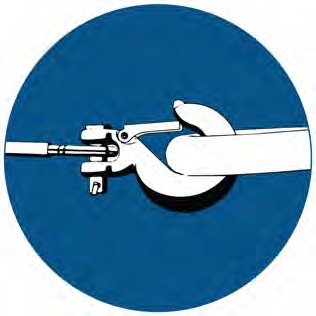
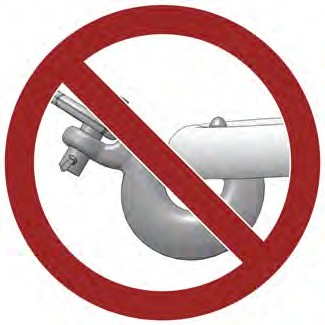
- Never remove the hook strap from the hook.
- Release the winch clutch and pull out the winch cable.
- Pulling out as much cable as possible maximizes the winch’s pulling capacity. Always be sure that at least five (5) full turns of winch cable are wrapped around the winch drum at all times. The friction provided by this wrapped cable allows the drum to pull on the winch cable and move the load.
- Read and adhere to the following information for winch damping to ensure safe winch use.
- In order to absorb energy that could be released by a winch cable failure, always place a “damper” on the winch cable. A damper can be heavy jacket, tarp, or other soft, dense object. A damper can absorb much of the energy released if a winch cable breaks when winching. Even a tree limb can help as a damper if no other items are available to you.
- Lay the damper on top of the mid-point of the winch cable length that is spooled out.
- On a long pull, it may be necessary to stop winching so that the damper can be repositioned to the new mid-point of the winch cable. Always release the tension on the winch cable before repositioning the damper.
- Avoid being directly in line with the winch cable whenever possible. Also, never permit others to stand near or in line with the winch cable during winch operation.
- Never hook the winch cable back onto itself. This will damage the winch cable and may result in winch cable failure.
- Never use straps, chains or other rigging items that are damaged or worn.
- The ONLY time a winch-equipped vehicle should be moving when using the winch is when that vehicle itself is stuck. The winch equipped vehicle should NEVER be in motion to “shock” load the winch cable in an attempt to move a second stuck vehicle. See the Shock Loading section on page 125. For your safety, always follow these guidelines when winching a vehicle free:
- Release the winch clutch and spool out the necessary length of winch cable.
- Align the winch cable as close as possible to the winching vehicle’s centerline.
- Attach the winch cable hook to the anchor point or the stuck vehicle’s frame following instructions in this manual.
- Re-engage the clutch on the winch.
- Slowly winch in the slack in the winch cable.
- Select the proper vehicle gear to propel the stuck vehicle in the direction of winching.
- Shift to the lowest gear available on the stuck vehicle.
- Slowly and carefully apply vehicle throttle and winch together to free the vehicle.
- Stop winching as soon as the stuck vehicle is able to propel itself without the help of the winch.
- Detach the winch cable hook.
- Rewind the winch cable evenly back onto the winch drum following the instructions in this manual.
- Never attempt to winch another stuck vehicle by attaching the winch cable to a suspension component, brush guard, bumper or cargo rack. Vehicle damage may result. Instead, attach the winch to a strong portion of the vehicle frame or hitch.
- Extensive winching will run down the battery on the winching vehicle. Let the winching vehicle’s engine run while operating the winch to prevent the battery from running low if winching for long periods.
- The winch motor may become hot during winch use. If you winch for more than 45 seconds, or if the winch stalls during operation, stop winching and permit the winch to cool down for 10 minutes before using it again.
- After winching is complete, especially if winching at an angle, it may be necessary to re-distribute the winch cable across the winch drum. You will need an assistant to perform this task.
- Release the clutch on the winch.
- Feed out the winch cable that is unevenly bunched up in one area.
- Re-engage the winch clutch.
- Have an assistant pull the winch cable tightly with about 100 lbs. (45 kg) of tension using the hook strap.
- Slowly winch the cable in while your assistant moves the end of the winch cable back and forth horizontally to evenly distribute the winch cable on the drum.
- Doing this reduces the chances of the winch cable “wedging” itself between lower layers of winch cable.
WINCH CABLE CARE

Use of worn or damaged cable could lead to sudden failure and SEVERE INJURY.
WARNING
For your safety, always replace POLARIS winch parts (including the cable) with genuine POLARIS replacement parts available at your authorized POLARIS dealer, or other qualified person.
- Always inspect your winch before each use. Inspect for worn or loose parts including mounting hardware. Never use the winch if any part needs repair or replacement.
- Always inspect your winch cable before each use. Inspect for worn or kinked winch cable.
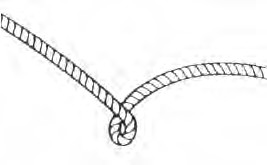 A kinked winch cable made of wire rope is shown at right. Even after being “straightened out,” this cable has already been permanently and severely damaged. Promptly discontinue use of a winch cable in this condition.
 A kinked winch cable made of wire rope that has been “straightened out” is shown at right. Even though it may look usable, the cable has been permanently and severely damaged. It can no longer transmit the load that it could prior to kinking. Promptly discontinue use of a winch cable in this condition.
 A winch cable made of synthetic rope should be inspected for signs of fraying. Replace the cable if fraying is observed (shown below). Promptly discontinue use of a winch cable in this condition.
Also replace the winch cable if there are fused or melted fibers. Such an area of the synthetic rope will be stiff and appear smooth or glazed. Promptly discontinue use of a winch cable in this condition.
SHOCK LOADING

Your winch cable is very strong but it is NOT designed for dynamic, or “shock” loading. Shock loading may tension a winch cable beyond its strength and cause the cable to break. The end of a broken winch cable under such high loading can cause SEVERE INJURY or DEATH to you and other bystanders.
WARNING
Winch cables are designed to NOT absorb energy. This is true of both wire-rope and synthetic-rope winch cables.
-
- Never attempt to “jerk” a load with the winch. For example, never take up slack in the winch cable by moving the winching vehicle in an attempt to move an object. This is a dangerous practice. It generates high winch cable loads that may exceed the strength of the cable. Even a slowly moving vehicle can create large shock loads in a winch cable.

SEVERE INJURY or DEATH can result from a broken winch cable.
WARNING
-
- Never quickly turn the winch ON and OFF repeatedly (“jogging”). This puts extra load on the winch, winch cable, and generates excessive heat from the motor. This is a form of shock loading.
- Never tow a vehicle or other object with your winch. Towing an object with a winch produces shock loading of the cable even when towing at slow speeds. Towing from a winch also positions the towing force high on the vehicle. This can cause instability of the vehicle and possibly lead to an accident.
- Never use recovery straps with your winch. Recovery straps are designed to stretch and can store energy. This stored energy in the recovery strap is released if a winch cable fails making the event even more hazardous. Similarly, never use elastic “bungie” cords for winching.
- Never use the winch to tie down a vehicle to a trailer or other transportation vehicle. This type of use also causes shock loading that can cause damage to the winch, winch cable, or vehicles used.
Your winch cable is designed and tested to withstand the loads produced by the winch motor when operated from a stationary vehicle. Always remember that the winch and winch cable are NOT designed for shock loading.
WINCH MAINTENANCE AND SERVICE SAFETY

Improper or lack of winch maintenance and service could lead to SEVERE INJURY or DEATH. Always follow all winch instructions and warnings in this manual.
WARNING
- Always inspect your winch before each use. Inspect for worn or kinked winch cable. Also inspect for worn or loose parts including mounting hardware.
- Permit your winch motor to cool down prior to servicing your winch.
- Never work on your winch without first disconnecting the battery connections to prevent accidental activation of the winch.
- For your safety, always replace POLARIS winch parts (including the cable) with genuine POLARIS replacement parts available at your authorized POLARIS dealer, or other qualified person.
- Some winch models use wire rope as the winch cable. Other winches use a specially designed synthetic rope as the winch cable.
- Never replace a synthetic-rope winch cable with a consumer-grade polymer rope such as can be purchased in a hardware store. Although they may look similar, they are NOT alike. A polymer rope not designed for winch use will stretch and store excessive energy when winching.

Failure of a stretched rope under winching conditions will release all of the stored energy. This will increase the chances of SEVERE INJURY or DEATH.
WARNING